1
Installation–Remote Connections
4. Press the stop button to return to the
normal display mode.
®
5. If you are using a T-Max 1A its “id”
must be set to “0.0”. See your 1A manual for instructions. Also refer to your TMax® 1A or Manager manuals to set
other functions such as delay time and
number of solariums in the T-Max®
Manager series.
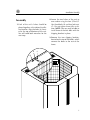
Figure 1
Remote systems using a Control Relay
Most non-T-Max® remote systems control the
booth by the use of a relay. The relay operates the booth by connecting and disconnecting a pair of wires leading from the booth.
Refer to the user’s manual provided with your
remote system to determine if it operates in
this way. To connect your booth to this type
of system a remote interface kit is required.
Call ETS at the phone number listed on the
back of this guide to obtain the kit. Figure 3
below details a typical connection. Follow the
instructions provided with the kit and from
the remote’s manual to make the necessary
connections.
If you have questions consult the
Troubleshooting guide in this manual or call
ETS at the phone number listed on the back
of this guide.
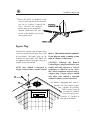
Figure 2
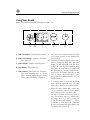
Figure 3
7