1
Initial Camera Settings
-
-
Install a fully charged camera battery.
Insert and format a compatible memory card.
Set Date and Time.
Set Mode Dial to “M” Manual Mode. Set shutter speed to
1/60th second or 1/125th second for fast moving subjects. Adjust
aperture setting accordingly to suit your shooting environment.
“P” Program Auto mode can also be used but you may
overexpose close-up subjects. Other “still” shooting modes are
not recommended.
Set White Balance to “WB-AUTO”.
Set Metering Mode to “Center”.
Set ISO to “80” (H55) or “125” (HX5).
Set Flash to forced ON (flash always fires) “ .”
Set Focus to “Center AF”.
Notes: If overexposure occurs, adjust the “EV” setting, use the “M” manual
mode and adjust aperture accordingly, or back away from the subject
and zoom in.
- A strobe focusing light is recommended to assist autofocus underwater.
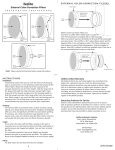
WD-4 Wide-Angle Conversion Dome 6430.4
The removeable WD-4 corrects light refraction underwater,
restoring the camera’s original angle of coverage. Approximately
3/4 of the camera's zoom range can be used with the dome in
place. Slight vignetting may occur at camera’s widest angle setting.
External Macro Adaptor 9306.82
Allows attachment of 67mm threaded macro lenses from Inon and
Epoque. NOT for use with 67mm threaded wide-angle lenses.
3