1
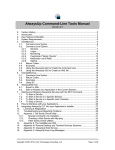
1. Introduction ......................................................................................................................................... 1
Institutional Context ............................................................................................................................. 1
Digital Processing as a Concept and Approach at the Bentley Library ................................................. 1
Overview of the Automated Processing Workflow .............................................................................. 1
Notes on the Windows Command Prompt ........................................................................................... 4
2. Initiate a Processing Session ................................................................................................................ 6
Launching AutoPro ................................................................................................................................ 6
Deposit Confirmation ............................................................................................................................ 7
Processor Identification ........................................................................................................................ 7
Identification of Archived Websites...................................................................................................... 8
Final Steps ............................................................................................................................................. 8
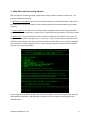
3. Main Menu and Processing Options .................................................................................................... 9
4. Guide to Individual Procedures .......................................................................................................... 11
Step 1: Virus Scan ................................................................................................................................ 11
Step 2: File Extraction ......................................................................................................................... 11
Disk Image Extraction with FTK Imager .......................................................................................... 11
Archive File Extraction with 7-Zip ................................................................................................... 14
Step 3: Personally Identifiable Information (PII) Scan ........................................................................ 15
Step 4: Identify Missing File Extensions .............................................................................................. 18
Step 5: Format Conversion.................................................................................................................. 21
Step 6: Appraisal, Arrangement, and Packaging for Deposit .............................................................. 22
Characterize Deposit: Understanding the Extent and Diversity of Content ................................... 23
Review Directory Hierarchy ........................................................................................................ 23
View Relative Size of Directories................................................................................................. 24
Compare File Extensions within Deposit .................................................................................... 24
Compare Age of Files .................................................................................................................. 25
Review Duplicate Content........................................................................................................... 25
Manually Review Content ............................................................................................................... 26
Quick View Plus: .......................................................................................................................... 26
IrfanView: .................................................................................................................................... 27
Inkscape: ..................................................................................................................................... 27
VLC Media Player: ....................................................................................................................... 28
AutoPro User Manual v. 4.0
i