1
Installation
Models SURT003 and SURT004
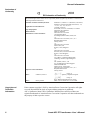
SURT003
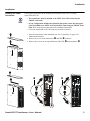
1. Ensure that the transformer input cord is
unplugged.
2. For Model SURT003:
a. Remove the voltage selection switch cover .
b. Set the input voltage selection switch to
match the utility voltage of 208 or 240 VAC.
See the table on page 7.
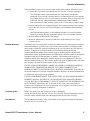
c. If 240V utility is used, program the UPS output
for 240V. See the UPS user manual.
d. Install the voltage selection switch cover .
Tower to Rack-mount
Conversion
Note
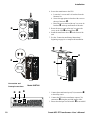
3. Plug applicable load equipment into the PDU
receptacles on the transformer.
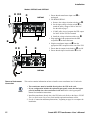
4. Plug the transformer input cord into the
appropriate PDU receptacle on the rear of the UPS.
5. Ensure that the output circuit breakers are ON.
6. Ensure that the input circuit breaker is ON.
SURT004
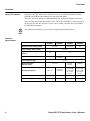
This section contains information on how to install a tower transformer in a 19-inch rack.
• The transformer must be installed directly above the UPS in the rack.
• If your configuration includes the optional bypass panel, ensure that the bypass
panel is installed above the transformer in the rack. Refer to the bypass panel
manual for installation instructions.
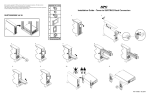
1. Install the transformer directly above the UPS in the rack. Refer to the Smart-UPS RT
Tower to Rack-mount Conversion Guide and the optional transformer rail kit.
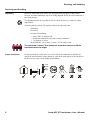
2. See the “Connection and Startup Instructions,” beginning on page 10 to complete the
installation.
12
Smart-UPS RT Transformer—User’s Manual