1
PrimoPDF Version 4.1 User Manual
Configuring PrimoPDF Options
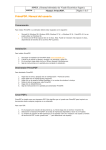
PDF Output Options
PrimoPDF includes five PDF output options, each of which can be used to produce PDF files at an optimized
file size and quality level, depending on how you intend to use the document.
Figure 5. PrimoPDF PDF Output Options
Screen. Produces a PDF optimized for screen viewing. This configuration creates small PDF
files and reduces image resolution to 72 dpi, which may reduce print quality.
Print. Produces a PDF optimized for printing to most home and office printers. This
configuration creates high resolution PDF files, but does not embed fonts.
eBook. Produces a PDF optimized for eBook usage. This configuration creates average-sized
PDF files and compresses all images, optimizing the file for downloading and viewing on a
variety of screens.
Prepress. Produces a PDF optimized for printing to commercial-quality printers. This
configuration creates large PDF files and will automatically embed all fonts and high
resolution images for best results when printed on a system other than the one on which the
PDF was generated.
Custom. Enables you to specify custom settings for your PDF output. Refer to Setting
PrimoPDF Custom Preferences for further details.
Copyright 2008, activePDF, Inc. All Rights Reserved.
Page 4 of 18