1
VER.1.3
PULSE OXIMETER OPERATOR'
S MANUAL
8 Alarm setting
8.1 ALARM PRIORITY
There are there-level priorities for selection.
High priority: the highest level alarm, indicate the patient is in the very
dangerous situation.
Medium priority: indicate the warning should be paid attention.
Low priority: indicate the measuring value beyond the preset limitation.
Alarm of this oximeter includes technical and physiological alarm. All
three priorities divided by built-in module and can not be changed by
user.
VISUAL ALARM INDICATORS:
If the alarm is activated through over limitation of physiological alarm,
corresponding data area is flashing. If the alarm is activated by more
than one physiological alarm, each parameter will be displayed with
flashing.
AUDIBLE ALARM INDICATORS:
Audible alarms can be heard if there is no silence. The audible alarm
has different tone pitch and on-off beep patterns for each alarm priority.
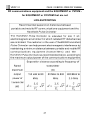
High priority: "du-du-du-------------du-du”, beeps every 8 seconds.
Medium priority: "du-du-du", beeps every 5 seconds.
Low priority: "du-”, beeps every 5 seconds.
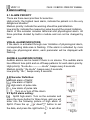
8.2Character Definition:
: High alarm of SpO2
: Low alarm of SpO2
: High alarm of pulse rate
: Low alarm of pulse rate
: Turn on or turn off the Alarm
8.3 SpO2 alarm setting:
SpO2 high alarm: Turn on the oximeter and
press the menu button for three times, and you will
enter into the following picture of high alarm of
SpO2. Press the up
or down
button to set
the data, and press the right button
to set other
15
Fig.11
Fig.12