1
Versa Electronics
www.marcumtech.com
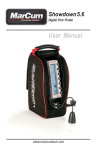
slide the adjustable transducer arm back into the housing, and stow transducer into the interior pocket. If possible, gently wipe excess water or moisture
from Showdown Troller screen and transducer arm with a soft cloth. Close and
secure soft case door with hook and loop closure. Store in cool (above 30°F,
below 85°F), dry location whenever possible. If you use the Performance pack
with a 12 volt battery, recharge battery after every use, and during prolonged
storage periods, recharge the battery every few months. These steps will
maximize the life of your battery. To clean your Showdown Troller periodically,
use a mild dishwashing soap and a soft cloth, and gently clean the Showdown Troller power head and view screen. DO NOT use window cleaner or
alcohol-based cleaning products—they may damage LCD screen and void
your warranty.
Troubleshooting
Unit will not power up:
•6AA Batteries may need to be replaced – Try replacing the 6AA batteries.
•Batteries installed improperly—make sure batteries are installed observing
proper polarity
•Power cord may not be connected to Showdown Troller Unit - Check
connections and try POWER again.
•Check wiring on power cable. Make sure all connections between the
Showdown Troller/ transducer / battery are solid, and be sure that the fuse
is intact
Unit turns on but will not read bottom:
•Transducer may not be properly leveled or connected. •Check cable connections. Make sure the bottom of the transducer has a
clear path to the bottom, and is not obstructed by any solid objects.
•Check to see if you have adjusted the manual depth range. If range is set
shallower than the depth of the water, bottom will not display in the viewing
area. Adjust range to be just slightly deeper than bottom.
Screen seems to be getting heavy interference, with lots of “clutter”:
•Adjust the Showdown Troller sensitivity. Often, decreasing the unit’s sensitivity will keep unwanted signals from appearing on screen.
•You might be receiving interference from adjacent electronic devices, such
as a competing sonar unit. Activate and adjust the Troller’s Noise Rejection
until you find a level that clears up most or all of the interference (see NOISE
section).
Display only shows 32’
•Troller is in simulator mode. Turn the Troller OFF by holding the POWER
button in for 5 seconds, and then turn it back on.
-9-