1
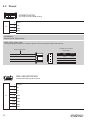
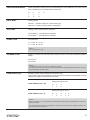
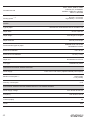
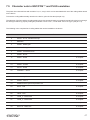
FONT TYPE
Setting of the font type:
International D
Chinese GB18030
Korean PC949
=
=
=
Enables the use of the 256-characters font tables
Enables the use of the chinese extended font GB18030-2000
Enables the use of the korean font PC949
NOTE: When the “INTERNATIONAL” font type is enabled, must be selected the desired character code
table (parameter “CODE TABLE”). When the chinese or korean font is enabled, the selection of the character
code table is suspended (par. “CODE TABLE”).
SPEED / QUALITY
Setting of printing speed and printing quality:
Normal D
High Quality
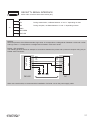
PAPEREND BUFFER
CLEAR
PRINT DENSITY
Cleaning mode of the data in receive buffer, if the printing is stopped due to lack of paper:
Disabled D = The data remain in the receive buffer. When the paper runs out, the printer
keeps the remaining data in the receive buffer and prints the remaining
portion of the ticket after that the new paper is loaded.
Enabled = When the paper runs out, all data in the receive buffer are deleted.
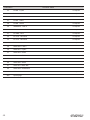
Adjusting the printing density:
-50%
-37%
-25%
32
-12%
0D
+12%
+25%
+37%
+50%