1
INTRODUCTION
Data Recorder Controls and Indicators
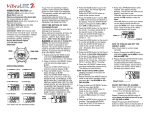
The Data Recorder has only two controls, the push button with which you operate it and the LED
that indicates its state of operation.
LED
Push Button
Button Operation
Turn the Data Recorder On
When you are ready to begin a workout and want the Data Recorder to collect data, press the
push button once. The unit will check the battery, check the available memory, then start looking
for signals from a TIMEX Speed + Distance System GPS Transceiver and/or Digital Heart Rate
Monitor.
Turn the Data Recorder Off
Press and hold the push button for more than 1.5 seconds. The LED will glow amber, then go out.
Recording data from a second device
If you have already started recording data from one device, say the Heart Rate Monitor, and want
to also record data from a Speed and Distance transceiver, press and release the push button at
any time while it is operating. The Data Recorder will begin searching for the new device. If it
does not lock onto the new device within sixty seconds, the Data Recorder will resume its
previous operation.
NOTE: If you start recording data from a second device after you’ve already been recording data
from one, the Data Recorder will store the data recorded so far as one workout, then start a new
session with the data from both devices.
3