1
Chapter 1
Introduction
Overview
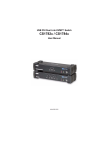
The CS1792 / CS1794 HDMI USB 2.0 KVMP Switch charts a revolutionary
new direction in KVM switch functionality by combining a 2-port (CS1792) or
4-port (CS1794) switch with a 2-port USB 2.0 hub. In addition, the CS1792 /
CS1794’s interface for a HDMI monitor enables effortless HDMI signal
switching using a single high-definition display as well as integrated multichannel audio.
As a KVM switch, the CS1792 / CS1794 HDMI USB 2.0 KVMP Switch
allows users to access 2/4 computers from a single USB keyboard, USB mouse,
and HDMI monitor console. As a USB hub, it permits each computer to access
connected peripherals on a one-computer-at-a-time basis.
The CS1792 / CS1794’s independent switching feature allows the KVM focus
to be one computer while the USB peripheral focus is on another. This
eliminates the need to purchase a separate USB hub as well as the need to
purchase separate stand-alone peripheral sharers.
The CS1792 / CS1794 further improves on previous designs with HDMI (High
Definition Multimedia Interface) connectors, and the transfer of keyboard and
mouse data to the computers via a fast, reliable USB connection. HDMI
supports digital input (flat panel displays, data projectors, plasma displays,
digital TVs and set-top boxes). Therefore, when all the displays and peripherals
are connected to the CS1792 / CS1794, you simply select which source you
want to view on the console displays by either of the two convenient access
methods: port selection pushbuttons located on the unit’s front panel, or hotkey
combinations entered from the console keyboard.
Recognizing the increased importance of digital audio, the CS1792 / CS1794’s
HDMI interface integrates multi-channel audio support that allows users to
experience high-definition audio such as Dolby True HD and DTS HD Master
Audio. Furthermore, a single microphone can provide audio input to each of
the computers, and you can listen to the audio output of each computer on a
single set of speakers (on a one-at-a-time basis). As with the USB peripherals,
the audio focus can be independent of the KVM focus.
Setup is fast and easy; simply plug cables into their appropriate ports. There is
no software to configure, no installation routines, and no incompatibility
1