1
IUCLID 5: Technical Completeness Check plugin – User Manual
Table of contents
Principle of the Technical Completeness Check (TCC) plugin........................................................ 3
Adding the plugin to your local IUCLID 5 installation ....................................................................... 3
2.1 Workstation / stand-alone installation ........................................................................................ 4
2.2 Distributed installation ................................................................................................................ 5
3 Starting the TCC Tool ...................................................................................................................... 6
4 Using the TCC tool ........................................................................................................................... 7
4.1 STEP 1: select the dossier/substance ....................................................................................... 7
4.1.1
Checking dossiers ............................................................................................................. 8
4.1.2
Checking substances ........................................................................................................ 8
4.2 STEP 2: select the template (optional)..................................................................................... 10
4.2.1
Combined dossier............................................................................................................ 10
4.2.2
Lead of a joint submission ............................................................................................... 11
4.2.3
Member of a joint submission.......................................................................................... 12
4.3 STEP 3: TCC results and interpretation................................................................................... 13
4.3.1
TCC result toolbar............................................................................................................ 14
4.3.2
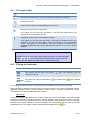
Filtering the result table ................................................................................................... 14
4.3.3
TCC result table............................................................................................................... 15
4.3.4
TCC version information .................................................................................................. 17
1
2
Table of figures
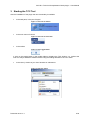
Figure 1: TCC tool run button .................................................................................................................................. 6
Figure 2: TCC tool via menu item ............................................................................................................................ 6
Figure 3: TCC Toggle button ................................................................................................................................... 6
Figure 4: Run TCC option........................................................................................................................................ 6
Figure 5: Entry field select document to check ........................................................................................................ 7
Figure 6: Query selection......................................................................................................................................... 7
Figure 7: Radio button for dossier type.................................................................................................................... 8
Figure 8: Selection of phase-in definition, fee waiving and update status................................................................ 9
Figure 9: Message for version check ....................................................................................................................... 9
Figure 10: Internet connection configuration............................................................................................................ 9
Figure 11: Message for plugin up to date ................................................................................................................ 9
Figure 12: Message when new plugin is available ................................................................................................... 9
Figure 13: TCC selection for tonnage .................................................................................................................... 10
Figure 14: TCC selection for a lead dossier........................................................................................................... 11
Figure 15: TCC selection for a member dossier .................................................................................................... 12
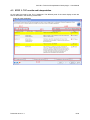
Figure 16: TCC result page ................................................................................................................................... 13
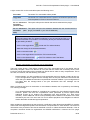
Figure 17: Yellow rows of the TCC result table...................................................................................................... 15
Figure 18: Grey/white rows of the TCC result table ............................................................................................... 15
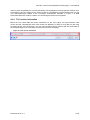
Figure 19: TCC version information ....................................................................................................................... 17
December 2010 v1.1
2/18