1
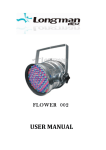
LED PAR 64 – 10mm Size: 12.2 x 9.06 x 9.06 inches Net Weight: 6.6lbs. LED-PAR64 Menu Details: MENU button is used to access the menu options or return to a previous menu option. Press UP/DOWN to choose a desired menu item. Menu details: Addr: DMX mode > A001-A512 SouF: Sound control strobe mode SouA: Sound control non-strobe mode SP--: Built-in speed programs > SP00-SP15 (SP00: the fastest) Pr--: Built-in programs > SP00-SP15 (16 programs) ASC-: 7 colors to choose from > AS00-AS15 (speed adjustable) FAdE: Fade color change > FA00-FA15 (speed adjustable) FLAS: White color strobe (full on) > FL00-FL15 (speed adjustable) bL-: blue dimmer > bL00-bL15 (bL15: the brightest) gL-: green dimmer > gL00-gL15 (gL15: the brightest) rL-: red dimmer > rL00-rL15 (rL15: the brightest) a) ENTER is used to access the second level of menu settings and to select and store the current menu function: Press MENU to access the top level menu option Press UP/DOWN until Addr appears on the display Press ENTER to access the menu items to select and the screen will now blink Press UP/DOWN to change the address code to select A001 Press ENTER to select and store the current menu options. DMX mode will be stored automatically and the screen will stop blinking. Setting up Master Unit: Only one of the units in the chain functions as master. The slaves are set in DMX mode, addressed 2