1
7045
Solution ID
TAUS0614347EN*
Solution Usage
7
Description
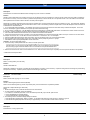
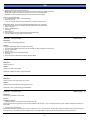
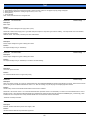
DF315, intermittent double feeding.
Solution
PROBABLE CAUSES:
1. Multi-feeding of originals has been determined to be caused by the pad material .
Note: To view the PDF, Acrobat* Reader must be installed. Acrobat Reader can be downloaded for free from the Adobe* Web site at:
[[http://www.adobe.com/products/acrobat/readstep2.html| URL http://www.adobe.com/products/acrobat/readstep2.html]]
The part number for the pad (p/n 129H-4580) remains unchanged because the design is the same; only the material has been changed. The Parts
Department inventory has been purged of all Type 2A pads and only Type 1 or Type 3 pads will be shipped.
2. Worn separator (DFP) pad.
A new style separator pad (p/n 129H-4580) and fanning spring (p/n129H45220) are available to prevent double feeding. These parts must be installed as a
set. The serial number cut-in when the new parts were added to the machines during production is as follows:
13LL03224 and up.
Notes:
1. The fanning spring tension has been decreased. The original fanning spring was 25.5mm in length. The new fanning spring is 22mm in length.
2. The pad material has changed.
3. Under no circumstances should the new pad be cleaned with alcohol. Cleaning it with alcohol will increase the friction and no-feed jamming can result. If
alcohol is used accidentally, it may take 150 original feeds to correct the problem.
Solution ID
TAUS0616910EN*
Solution Usage
7
Description
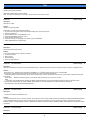
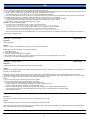
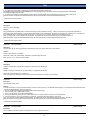
FS109, J72-14 and/or J72-15.
Solution
CAUSE: The PS804 paper through detect sensor actuator (p/n 120H42201) is continually flagged.
SOLUTION: Verify operation in 47 multimode, input 070, P04P, and actuate the actuator OFF without paper; ON with paper. If no change, replace PS804
(p/n 12Q85510).
Solution ID
TAUS0620255EN*
Solution Usage
7
Description
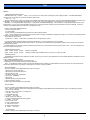
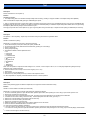
Key counter copy count is not advancing.
Solution
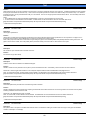
CAUSE: The key counter was incorrectly inserted into the machine causing a loss of 24V DC to CN32-B17 on the PRDB (printer diver board).
SOLUTION: To check for 24V DC going to CN32, perform the following:
1. Access the 47 mode (power the copier OFF/ON, while simultaneously holding the 4 and the 7 keys).
2. Locate ICP2 on the PRDB, just above CN35.
3. Set a multimeter to 200V DC range.
4. Place the black lead to frame ground.
5. Place the red lead to one leg of ICP2 and check for 24V DC then check the other leg for 24V DC.
6. If neither leg indicates 24V DC, replace the PRDB (p/n 55HA-9064).
Solution ID
TAUS0620408EN*
Solution Usage
7
Description
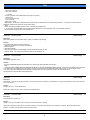
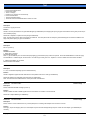
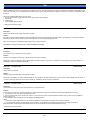
J92-00 while duplexing.
Solution
CAUSE: The paper feed loop timing is incorrect, causing the paper to stop before the PS502 (ADU registration PS).
SOLUTION: Adjust the paper feed loop timing. To adjust the paper feed loop timing perform the following;
1. Access the 36 mode (power the copier OFF/ON, while simultaneously holding the 3 and the 6 keys).
2. Select [2. Timing adj.].
3. Select [3. Paper loop adj.].
4. Press next, until Paper loop adj. (ADU) is displayed.
5. Setting ranges are from (-127 to +127).
6. Enter desired paper feed loop value, and press (SET).
7. Press [COPY], to get to the test screen.
8. Make test copies.
9. On the key pad press and hold the P button, then press the C to return to the adjustment mode.
Copyright 2007, Konica Minolta Business Solutions U.S.A., Inc.
September 2007
14