1
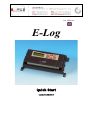
E-Log – Quick Start
Summary
1.
2.
Introduction.................................................................................................................................. 3
First installation ........................................................................................................................... 3
2.1.
Installing the software on your PC....................................................................................... 3
2.1.1.
Installation procedure................................................................................................... 3
2.1.2.
3DOM Software........................................................................................................... 4
2.2.
Datalogger configuration ..................................................................................................... 4
2.2.1.
Starting the instrument ................................................................................................. 5
2.2.2.
Adding the new instrument to 3DOM program ........................................................... 6
2.2.3.
Checking the instrument internal clock ....................................................................... 6
2.2.4.
Instrument configuration.............................................................................................. 6
2.3.
Creating a configuration report .......................................................................................... 10
2.4.
Connecting the probes........................................................................................................ 10
2.4.1.
Electrical connection.................................................................................................. 10
2.4.2.
Serial connection........................................................................................................ 13
2.5.
Displaying measures in fast acquisition mode................................................................... 13
3. Elaborated data storage options ................................................................................................. 13
3.1.
Storing data in a text file.................................................................................................... 13
3.2.
Saving data on a Gidas database ........................................................................................ 14
4. Receiving elaborated data .......................................................................................................... 17
5. Displaying elaborated data......................................................................................................... 17
Copyright 2007-2013 LSI LASTEM. All rights reserved.
This manual can be modified without notice.
Anybody can copy, print or publish this manual without LSI LASTEM written authorization.
LSI LASTEM reserves the right to modify the product without an immediate revision of this document.
Cod. INSTUM_00951
Pag. 2