1
Tax is computed based on the commissions earned in the current tax year, which you have
defined in the Defaults Maintenance. It is also deducted individually for each broker,
independent of the broker hierarchy.
For brokers for whom payments are to be held back (as designated in the Broker
Maintenance), commissions earned are paid out only if the commission amounts exceed the
tax liability for that period, and the ‘hold back’ option has been revoked.
2.8.2
Clearing of Payment Instruments
The payment of the commission accruing from a specific transaction is deferred till the
payment instrument for the transaction is cleared. In the event of non-clearance of the
payment instrument before the next commission payment date, the commission is processed
and accrued, but the payment is deferred till the instrument is cleared. The accrued
commission is paid out on the next commission payment date, provided the instrument is
cleared.
2.9
Processing Commission Payments for Various
Entities
The Entity Commission Payment process consolidates the accrued commission for each
entity at a fund-level and the payment is processed based on the IDS options defined for each
entity in the Entity IDS, with payment being made in the base currency of the fund. If no IDS
options have been maintained, the default mode of payment for the entity is used for
processing.
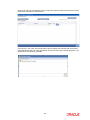
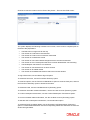
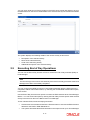
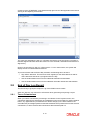
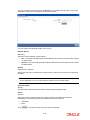
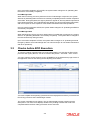
The Entity Commission Payment process can be executed either as a batch process as part
of EOD. Invoke the ‘Entity Commission’ screen by typing ‘UTDECPYP’ in the field at the top
right corner of the Application tool bar and clicking on the adjoining arrow button. Select the
type of entity for which commission payment needs to be processed, and then select the ID
of the entity.
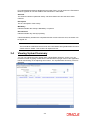
Enter the details of the entity for which you wish to process the commission payments. Entity
commission payments are processed only for those entities for which the Entity Payment
Details have been maintained, even if entity commission has been accrued.
2-15