1
PLANETPAYMENT
One Partner. One Platform.
•
•
•
•
•
Hosted Pay Page API Guide
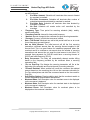
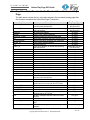
*Billing Transaction Type: Two types of payments that can be configured.
1. Authorization-Only: To hold funds for the consumer to be captured
for settlement at a later time dictated by the merchant.
2. Sale: Authorization and Capture in one transaction
Soft Decline Options: Fraud scrubbing tools that the merchant enable to
reduce chargebacks and fraudulent transactions.
Merchant Name: Soft Descriptor value for merchant name to be displayed
on the consumer’s statement.
Merchant State: Soft Descriptor value for merchant state to be displayed
on the consumer’s statement.
Merchant Phone: Soft Descriptor value for merchant phone to be
displayed on the consumer’s statement.
After entering the information:
1.
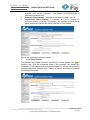
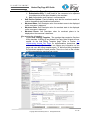
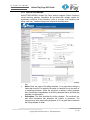
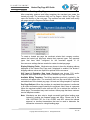
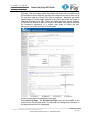
Select Save a Billing Template. The merchant has created a One-time
billing template. A Billing ID and Hosted Pay Page Code Snippet will now
appear on the Add Billing Template page. Refer to Section 4.0
Implementing Hosted Pay Page for implementation instructions (see
screenshot below). The merchant can change any information on this
page and save the billing template again. To add more billing templates
the merchant repeats the same process. There is no limit on the number
of billing templates the merchant can create.
6 of 20
Copyright ©2013 Planet Payment Inc. All Rights Reserved