1
Drive Application Software
Application Set
Parameter Configurations
Changes from Default Parameter Settings (Any listed defaults are in gray.)
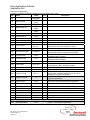
Par
Name
Value
Link
Description
per
41(Data entered per motor nameplate)
Motor NP . . .
nameplate
45
4 - “FVC
53
Motor Cntl Sel
Vector”
80
Feedback Select
3 - “Encoder”
Must use quadrature and differential encoder
11 - “Preset
90
Speed Ref A Sel
Spd1”
12 - “Preset
93
Speed Ref B Sel
Spd2”
101
Preset Speed 1
60 Hz
102
Preset Speed 2
12 Hz
140
Accel Time 1
2.0 Sec.
Affected by desired cycle time and system Inertia
142
Decel Time 1
2.0 Sec.
Affected by desired cycle time and system Inertia
146
S Curve %
20%
Used to smooth accel / decel profile
Bit 8 = 1
Bit 8 enables Input Phase Loss and bit 12 enables
238
Fault Config 1
Bit 12 = 1
Output Phase Loss (Internal value = 4426)
436
Pos Torque Limit
120%
Limit was used to protect machine in event of a jam.
Typical range will be 20-40 rad/sec. Adjusting this will
449
Speed Desired BW
35 Rad/Sec.
automatically change Parameters 445 and 446
For Reference Only. Automatically adjusted when
445
Ki Speed Loop
(39.9)
Parameters 449 is changed.
For Reference Only. Automatically adjusted when
446
Kp Speed Loop
(4.6)
Parameters 449 is changed.
447
Kf Speed Loop
0.1
For Reference Only. Automatically determined during
450
Total Inertia
(0.13 Sec)
inertia autotune. (Note: Kp = BW x Inertia)
***
TorqProve Settings
600
TorqProve Cnfg
601
TorqProve SetUp
602
Spd Dev Band
603
604
605
606
607
608
609
610
611
Spd Band Integrator
Brake Release Time
ZeroSpdFloatTime
Float Tolerance
Brk Set Time
TorqLim SlewRate
BrkSlip Count
Brk Alarm Travel
MicroPos Scale%
AS_PF700_VDL_TorqProve.doc
Form Revision – A
Page 2 of 2
Bit 0 = 1
0
3.0 Hz
100 mSec.
0.01 Sec
0.1 Sec
0.1 Hz
0.10 Sec
1.0 Sec
10 Revs
1.0 Rev
10 %
This “enables” TorqProve and Digital Output 1 will
now control the mechanical brake (Note: this is not
changed when “Reset to Defaults”)
Default – used only if using communications to control
TorqProve parameters.
This was used to protect machine in event of a jam. It
may need to increase depending on application.
May need to increase depending on application.
Set to minimum since these lifts rarely need float.
Set to minimum since these lifts rarely need float.
Default
(Note: This may be too low for some applications)
Default
Default – not used in this application