1
1. Introduction .......................................................................................................................... 3
2. Installing your PCBanker program.................................................................................... 5
2.1 Communication settings ................................................................................................ 7
2.2 PPP protocol (in case of an ISDN line):........................................................................ 7
2.3 Broadband....................................................................................................................... 8
3. First time you enter your PCBanker program .................................................................. 9
3.1. Check client data, settings .......................................................................................... 10
3.2. Registration.................................................................................................................. 11
3.3. Create your signature key .......................................................................................... 12
3.3.1 Create a key on floppy disc................................................................................... 12
3.3.2 If you prefer not to store your signature key file on floppy disc....................... 13
4. PCBanker functionality ..................................................................................................... 14
4.1. Account management.................................................................................................. 14
3.1.1 Requests for information / Statements, bulletins ............................................... 14
Download data ................................................................................................................ 14
Handle statements and bulletins ................................................................................... 14
Export data ..................................................................................................................... 15
4.1.2 Account balance..................................................................................................... 15
4.1.3 Daily executed transactions .................................................................................. 16
4.1.4 Account history...................................................................................................... 16
4.2. Handle order package, order types ........................................................................... 17
4.2.1 The order entry window ....................................................................................... 18
4.2.2 Manually enter a HUF transfer order................................................................. 18
4.2.3 Create and handle a template .............................................................................. 19
4.2.4 Manually enter a foreign currency transfer order............................................. 20
4.2.5 Determine the type of execution of foreign currency orders (transfer, carry
over) ................................................................................................................................. 22
Viber transfer ................................................................................................................. 22
4.2.7 Manually enter a fixed term deposit.................................................................... 22
4.2.8 Modifying an order ............................................................................................... 23
4.3. Electronic signature of order packages ..................................................................... 24
4.4. Forwarding of order packages to the Bank .............................................................. 25
5. Administrative commands................................................................................................. 27
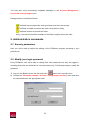
5.1. Security parameters .................................................................................................... 27
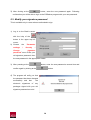
5.2. Modify your login password....................................................................................... 27
5.3. Modify your signature password ............................................................................... 28
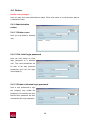
5.4. Orders........................................................................................................................... 29
5.4.1 Administrative orders ........................................................................................... 29
5.4.1.1 Delete a user ........................................................................................................ 29
5.4.1.2 Set initial login password................................................................................... 29
5.4.1.3 Enable a blocked login password...................................................................... 29
5.4.1.4 Add a user ........................................................................................................... 30
6. Modify your communication channel............................................................................... 30
7. APPENDIX, USEFUL INFORMATION......................................................................... 32
7.1. Network use of the PCBanker program.................................................................... 32
7.1.2 Network installation:............................................................................................. 32
7.2. Default account numbers............................................................................................ 34
7.3. Bank information ........................................................................................................ 34
2