1
18
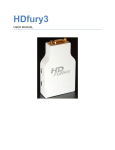
HDfury3 User Manual
Frequently Asked Questions (FAQ)
General
Why do I need HD (720p) or Full HD (1080p)?
Blu-ray players, HDMI graphic cards, PS3, Xbox 360 Elite are all able to unleash their
true potential (720p/1080p mode) only through the HDMI output. If you want a valid
ticket to the Full HD world you either need a compatible display (with HDMI input) or an
HDfury3 for your existing display. 1080p FULLHD as found on Blu-ray and HD has over
6 times the resolution as standard DVD and TV. For the best movie and home theater
experience, you *need* Blu-ray/HD.
Why do I need an HDCP compliant display?
HDMI is a new standard that comes with a form of hardware protection called HDCP. If
your display doesn't have a HDMI input you won't be able to display a 720p/1080p
signal (from HDMI sources). Prior to exchanging video data, the HDMI source
exchanges HDCP keys with HDMI display. Both devices have a special HDCP chip
embedded. If your display doesn't include an HDCP chip, even if it's technically able to
display 720p or 1080p signal, it will display a BLACK SCREEN. On some devices (ex:
Playstation3, Xbox360) 1080p mode is only available through the HDMI output.
I use component cables to connect my Blu-ray or DVD player to my display
device and it works just fine! Why do I need HDfury3?
Blu-ray and many DVD players can also up-convert standard definition DVDs to higher
resolutions (720p, 1080i, 1080p), but they only do this via the HDMI outputs (not
component). So if you want to get the higher resolution benefits of your player's upconversion circuitry, you're forced to use HDMI. As well, in the future it may not be
possible to pass certain high definition content over component video cables. A content
flag called the ICT (Image Constraint Token) allows broadcasters and movie studios to
limit or "down-res" the HD video signal to standard definition 480P resolution over
component video cables. Hollywood has reportedly agreed to not activate this flag until
2011-2012. And the most important reason to use HDfury3: The picture quality is
substantially better! (Sharper/cleaner/less noise/less ringing/etc). Talk to someone who
uses one or read the reviews on this order page:
http://www.curtpalme.com/HDfury3.shtm
Sound
Do I need to use the sound output on the HDfury3?
Likely not. The audio output of the HDfury3 is a convenience feature if you do not have
a home theater receiver. The HDfury3 supports stereo analog output as well as 5.1
Dolby/DTS digital SPDIF output. If all you have are the speakers in your TV you can use
the 2-channel analog audio output of the HDfury3 as a convenient way to feed audio
directly into your TV without having to run separate (possibly long) audio cables from
the source to your TV as in many setups the HDfury3 will be plugged right into the TV.
This way you only need to run one HDMI cable to the TV and then use a short audio
HDfury3.com
Support: http://HDfury.CurtPalme.com