1
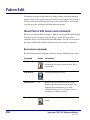
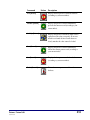
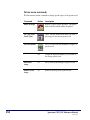
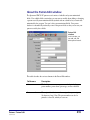
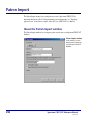
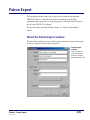
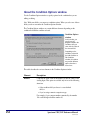
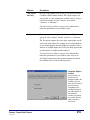
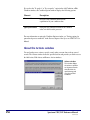
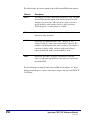
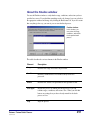
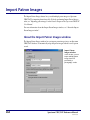
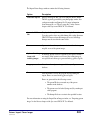
The Patron Export window contains the following elements.
Option
Description
Export
Lets you export patron files in two ways: Patrons Within a Given
Range, or Patrons Individually.
Format
Exports the files in one of four formats you choose: Spectrum
fixed-length, PATRON.WIN, Delimited with tabs, or Delimited
with quotes and commas. For more information, see "Export file
formats" later in this chapter.
Index
When exporting patron records within a given range, exports the
files by the index chosen. There are seven options: Patron
Number, Patron Name, Patron Type, User-Defined 1, UserDefined 2, User-Defined 3, and a custom index.
Index value
When exporting patron records individually, lets you enter the
patron number to export in this box.
Export range
Start at/End at
Specifies the starting and ending range of the number, name, or
other index to export. These values default to the first and last
patron records in your database.
Change Custom
Index Range
If a custom index is chosen as the export index, lets you change
the range of the custom index. For more information about
custom indexes, see "Creating a patron custom index" in the
Patrons chapter of the Spectrum CIRC/CAT User Manual.
Output file
The file that you want to export patron records to. You can enter
the name of the file or search for a file to append to (by clicking
the Browse button). If you choose to export to a floppy disk, you
are prompted to enter the next disk when needed.
Browse
When clicked, lets you locate and select your output file.
For more information on using the Patron Export window, see "Exporting patron records"
in the Patrons chapter of the Spectrum CIRC/CAT User Manual.
246
Spectrum CIRC/CAT Reference Manual
SCC5rm1200kn