1
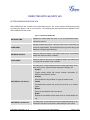
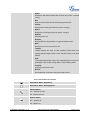
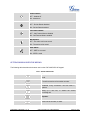
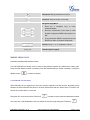
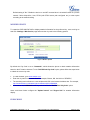
key . Call waiting tone (stutter tone) will be audible on new incoming call during the active call. MUTE During an active call, press the MUTE softkey to mute/unmute the microphone. The LCD will show "Talking" or "MUTE" to indicate the mute status, with Mute icon displayed on the right side of the screen. CALL TRANSFER GXP1160/GXP1165 supports Blind Transfer, Attended Transfer and Auto-Attended Transfer. • • • Blind Transfer. During the first active call, press TRAN key Press SEND key and dial the number to transfer to; or # to complete transfer of active call. Attended Transfer. During the first active call, press FLASH key Enter the number for the second call in the new line and establish the call; Press TRAN key Press FLASH key . The first call will be put on hold; ; to transfer the call. Auto-Attended Transfer. Set "Auto-Attended Transfer" to "Yes" under Web GUI->Settings->Call Features. And then click "Save and Apply" on the bottom of the page; Establish one call first; During the call, press TRAN key FIRMWARE VERSION 1.0.5.15 . A new line will be brought up and the first call will be GXP1160/GXP1165 USER MANUAL Page 22 of 63