1
10/10 MN05003003Z-EN
Appendix
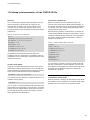
Example program for PLC START/STOP using external
switch
The SysLibPlcCtrl.lib library contains the function
SysStartPlcProgram required for the start, and the function
SysStopPlcProgram required for the stop.
In this case, the startup behaviour of the controller must be set to
WARM START in the PLC Configurator under <Other Parameters
l Settings>!
Function
The POU “StartPrg”, which is called once on every PLC start is
used to register the function FuncCalledWhenPlcIsInStop on the
event “EVENT_TASKCODE_NOT_CALLED”-. This registration
causes the function FuncCalledWhenPlcIsInStop to be called via
the event “EVENT_TASKCODE_NOT_CALLED” if the PLC is in
STOP state. The StartStopFunction function is used to monitor the
status of the input and call the function for starting or stopping the
PLC if there is a status change.
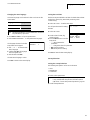
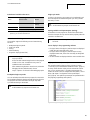
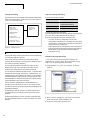
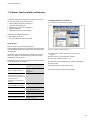
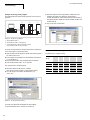
Figure 110: Declaring global variables
X
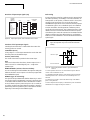
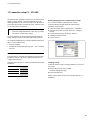
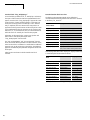
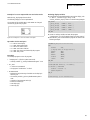
Enter the program for PLC_PRG as shown in figure 111.
It is important that the user program and the POU calls are
inserted as shown in figure 111.
As the POU “StartPrg” is called only once, there should be no
outputs or parameters set in this POU. User programs should be
programmed in separate POUs.
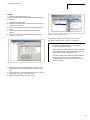
X
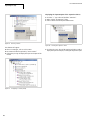
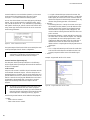
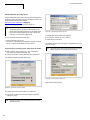
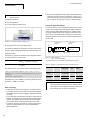
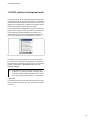
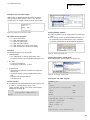
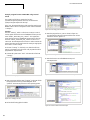
Activate the system event “Start” and name the Called POU
“Startprg”.
Figure 111: Scanning START/STOP
X
Figure 108: Activating a system event
X
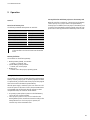
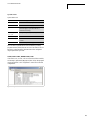
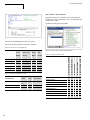
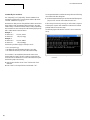
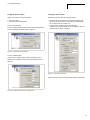
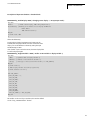
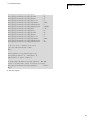
Enter the function FuncCalledWhenPIcInStop and
StartStopFunction.
Figure 112: Call of the function FuncCalledWhenPlcIsInStop
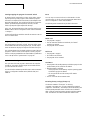
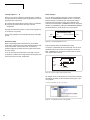
Open a new POU with the name “Startprg” in the POUs folder
and program the function SysCallbackRegister which
“presents” the Start/Stop functions to the operating system.
Figure 109: “Startprg” function
X
Declare the following global variables.
Figure 113: Function that monitors the input
94