1
Table of Contents
Section 1 - Introduction ............................................................................................. 3
The Web CWS application allows you to:........................................................... 3
System Requirement .......................................................................................... 3
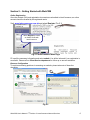
Section 2 – Getting Started with WebCWS............................................................... 4
Online Registration ............................................................................................. 4
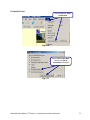
Browser Configuration ........................................................................................ 4
For Internet Explorer (Microsoft default browser) ..................................... 5
For Mozilla Firefox..................................................................................... 5
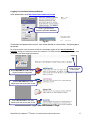
Logging in to the InterCommerce Website ......................................................... 6
Resetting Passwords .......................................................................................... 7
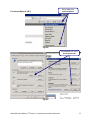
Password Security .............................................................................................. 7
For Internet Explorer (IE 6 sp1) ................................................................ 7
For Internet Explorer (IE 7) ....................................................................... 8
For Mozilla Firefox..................................................................................... 9
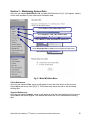
Section 3 – Maintaining System Data ..................................................................... 10
Client Maintenance ........................................................................................... 10
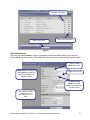
Supplier Maintenance ....................................................................................... 10
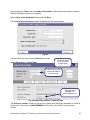
Broker Maintenance.......................................................................................... 11
Section 4 – Preparing Import Declarations ............................................................. 13
Import Declaration – General Page .................................................................. 14
Item Page................................................................................................ 16
Entering Multiple Items ..................................................................................... 20
Financial Page ........................................................................................ 20
Pre assessment ................................................................................................ 21
Section 5 – Sending Import Declaration and Receiving Response ........................ 23
Sending Import Declaration to BoC .................................................................. 23
Receiving Import Declaration response............................................................ 24
Checking the Declaration if Error response is received.................................... 25
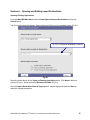
Section 6 – Opening and Editing saved Declarations............................................. 26
Opening Existing Applications .......................................................................... 26
Creating from an Existing Application............................................................... 27
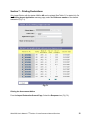
Section 7 – Printing Declarations ............................................................................ 28
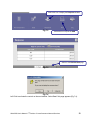
Printing the Assessment Notice........................................................................ 28
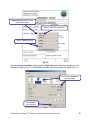
Printing the SAD ............................................................................................... 31
Printing the Back Page ........................................................................... 31
Printing the Rider Page........................................................................... 32
Exporting to Microsoft Excel ............................................................................. 33
Section 9 – Simulated Import Declarations (examples ONLY) ............................... 34
Sample lodgment procedure for NAIA .............................................................. 34
Special encoding procedure for NAIA PairCargo Warehouse................ 35
Direct Flight for PAL-PSI Warehouse ..................................................... 36
Sample lodgment for Harbor Center only ......................................................... 37
Sample lodgment for Warehousing Entries ...................................................... 37
Section 10 – FAQs (Frequently Asked Questions) ................................................. 40
Appendix A – Usual Errors ...................................................................................... 41
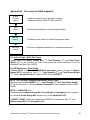
Appendix B – Procedure for NAIA lodgment........................................................... 43
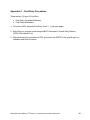
Appendix C – Post Entry Procedures...................................................................... 44
© InterCommerce Network Services
All Rights Reserved
Unit 2203, 88 Corporate Center
141 Valero cor Sedeño Streets, Salcedo Village
1227 Makati City, Philippines
+63 (2) 845 0509; Fax +63 (2) 843 8160
manilacs@intercommerce.com.ph
www.intercommerce.com.ph
2