1
Getting Started
Thank you for downloading and using Edocx. We are delighted that you have chosen to join a growing
community of users who recognise that Edocx is the way of the future in data management.
Edocx differs from other cloud storage companies in that storage is only part of the bundle, the whole of
which is designed to act as a completely customisable tool for sharing and tracking documents according to
your individual needs.
The purpose of off-site storage is to provide a layer of redundancy that contributes to a disaster recovery
solution. On-site storage is effective only if you can access your data undamaged. If your premises are
destroyed by a disaster, or your backup device is stolen, it is highly likely that you will either have corrupt
data or no backup data at all.
Off-site storage also allows access via an Internet connection. Mobility is very rapidly becoming an
important part of business plans, with the ability to access files on the fly anywhere via laptops, tablets and
mobile devices being crucial.
No matter where you store your data, if it has value to you, you must have a well thought out plan to
protect it properly and to be able to access it in the event of a disaster. Utilising the cloud can be a part of
that plan, but understanding the terms of service is of utmost importance. If you are uncomfortable with
cloud storage, find alternative methods to achieve the desired results. You may trade time for convenience,
but your peace of mind is highly relevant to the development of a comprehensive backup and disaster
recovery solution.
Edocx is a quantum leap forward in combining cloud computing with seamless ease-of-access on the fly,
whilst giving you peace of mind that your files are well organised, and most importantly, securely stored in
Australia.
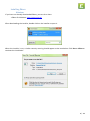
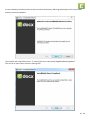
The essence of Edocx lies in its simplicity. All you need is an active internet connection to get started. Once
installed on your computer, simply open Edocx and you are ready to start uploading, storing and sharing
files.
Lost your files? Computer isn’t working for your presentation? iPad has run out of battery? No problem;
simply connect any computer or smartphone to the internet and you can access all files uploaded to Edocx.
If you cannot install Edocx on your device, you can run the web page version of Edocx, Edocx Web, and still
have access to all your files.
Never worry about confusing yourself with multiple file copies. With Edocx, any file that is being edited by
another user is clearly labelled and locked for editing. Multiple users can view a document, and re-upload
it to Edocx. There will be a list of versions in the file’s history, with details of who last edited it, when it was
edited, and the current version number.
2
| 23