1
WeCare Community User Manual - Non-Profit Organization
Step 2:
NPO Setup Info
4
5
3
6
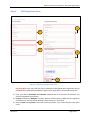
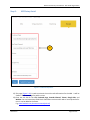
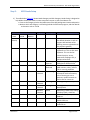
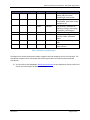
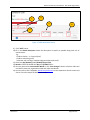
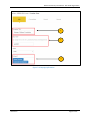
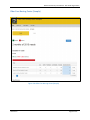
Figure 2.2 NPO Setup Info
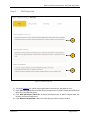
3) This page (Figure 2.2) is used to setup organization information for the public to view.
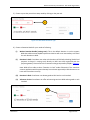
4) Enter Short Description about the NPO. Give brief explanation on what’s the purpose of NPO and
NPO’s size. (max 200 characters)
5) Enter NPO Information / About Us. Give brief information such as NPO’s inception date, the
founder, and history background.
6) Enter Mission of Organization. Share the reason why your NPO is setup to achieve.
Version 2.6
Page 10 of 67