1
Notices...................................................................................................................................................... 5
Federal Communications Commission Statement.......................................................... 5
Canadian Department of Communications Statement................................................. 6
IC Radiation Exposure Statement for Canada................................................................... 6
Declaration of Conformity (R&TTE directive 1999/5/EC)............................................... 6
CE Mark Warning.......................................................................................................................... 7
Wireless Operation Channel for Different Domains........................................................ 7
France Restricted Wireless Frequency Bands..................................................................... 8
REACH.............................................................................................................................................. 9
Global Environmental Regulation Compliance and Declaration ............................10
Takeback Services......................................................................................................................10
Notes for this manual........................................................................................................................11
Safety information..............................................................................................................................12
Setting up your system............................................................................................................12
Care during use..........................................................................................................................12
Welcome................................................................................................... 13
Package contents...............................................................................................................................13
Getting to know your All-in-one PC....................................................... 14
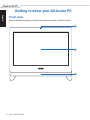
Front view..............................................................................................................................................14
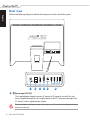
Rear view...............................................................................................................................................16
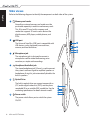
Side views..............................................................................................................................................18
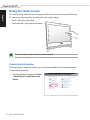
Using the touch screen.....................................................................................................................20
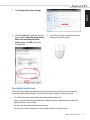
Showing the touch pointer....................................................................................................20
Cleaning the touch screen......................................................................................................21
Using the keyboard............................................................................................................................22
Function keys..............................................................................................................................23
Positioning your All-in-one PC............................................................... 24
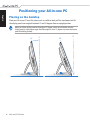
Placing on the desktop.....................................................................................................................24
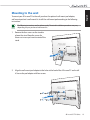
Mounting to the wall.........................................................................................................................25
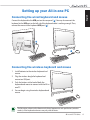
Setting up your All-in-one PC................................................................. 27
Connecting the wired keyboard and mouse............................................................................27
English
Contents