1
Contents
1
Introduction
1
2
2.1
Getting Started
Achieving the Best Performance
2
2
3
3.1
3.2
3.3
3.4
3.5
4
Overview
Defining the EDID
About HDMI–General Description
About HDCP–General Description
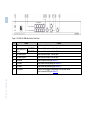
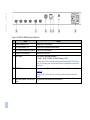
Defining the VS-42HN 4x2 HDMI Matrix Switcher
Using the IR Transmitter
Installing in a Rack
3
4
4
5
5
8
9
5
Connecting the VS-42HN 4x2 HDMI Matrix Switcher
10
6
6.1
6.2
6.3
6.4
6.5
6.6
6.7
7
Operating the VS-42HN 4x2 HDMI Matrix Switcher
Acquiring the EDID
Resetting to the Default EDID
Storing and Recalling a Switching Setting
Switching Between Protocol 2000 and Protocol 3000
Connecting to the VS-42HN 4x2 HDMI Matrix Switcher via RS-232
Connecting to the VS-42HN 4x2 HDMI Matrix Switcher via Ethernet
Upgrading the Firmware
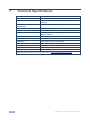
Technical Specifications
12
12
13
13
14
14
15
17
18
8
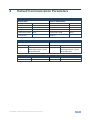
Default Communication Parameters
19
9
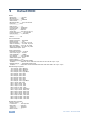
Default EDID
20
10
Kramer Protocol 2000
22
11
11.1
11.2
Protocol 3000
Kramer Protocol 3000 Syntax
Kramer Protocol 3000 Commands
25
25
28
Figures
Figure 1: VS-42HN 4x2 HDMI Matrix Switcher Front Panel
Figure 2: VS-42HN 4x2 HDMI Matrix Switcher Rear Panel
Figure 3: Connecting the VS-42HN 4x2 HDMI Matrix Switcher
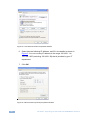
Figure 4: Local Area Connection Properties Window
Figure 5: Internet Protocol (TCP/IP) Properties Window
6
7
11
16
16
VS-42HN - Contents
i