1
QUICKSTART
Turn to Software Installation on page 12 and follow the instructions:
• Install the QMBtn software as described — do not run the software yet
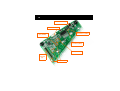
• Connect the E6248 to a free USB port on your PC with the cable provided
• Install the drivers in response to the Found New Hardware Wizard — note that this may
not be necessary if you have previously installed Quantum hardware on your PC
• Your hardware and software should now be installed correctly
Double click on the QmBtn software icon to run the program:
The software should automatically detect and configure the E6248 device — if not, please refer to
the Troubleshooter (inside back cover). The main features of the software are described on the
following pages.
Make sure that you explore all of the features of the software, in particular:
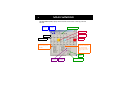
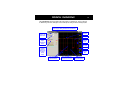
• The main window (QmBtn) which provides the ability to monitor the status of all keys
and the overall device in real time.
• The settings window (QmSettings) which allows you to adjust the behaviour of the keys
individually to explore the parameter space.
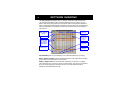
• The graph window (QmGraph) which allows you to directly monitor the analog outputs
of individual keys and effect of the associated settings parameters.
QmBtn™ is an invaluable tool for developing and testing projects that use Quantum’s QMatrix™
technology. The software is designed to communicate with a QMatrix chip via your computer’s
serial port. It allows you to monitor your chip’s status and modify its behaviour.
3