1
DEFROST
AUTO DEFROST
Auto Defrost automatically defrosts all the foods found in the AUTO DEFROST chart below.
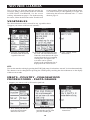
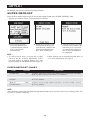
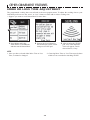
• Suppose you want to defrost a 2.0 pound steak.
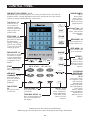
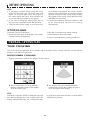
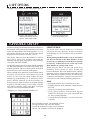
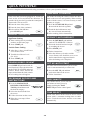
1 Press Defrost pad and
then touch AUTO
DEFROST 6 Choices.
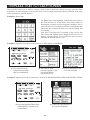
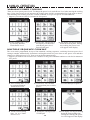
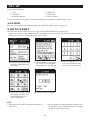
2 Touch the desired food:
Steaks.
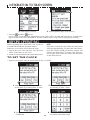
3 Enter desired weight by
touching the screen. Then
press START pad.
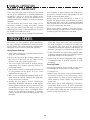
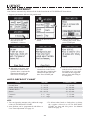
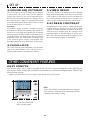
4 When the oven stops, read
instructions on the screen,
open the door, complete the
instructions and close the
door. Press START pad.
5 When the oven stops, read
instructions on the screen,
open the door, complete the
instructions and close the
door. Press START pad.
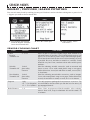
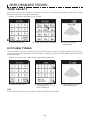
6 After the defrost cycle ends,
read the screen. Remove the
food from oven, cover and
let stand for the suggested
time to allow defrosting to
be completed.
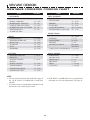
AUTO DEFROST CHART
FOOD
Ground Meat
Steaks, Chops / Fish
Chicken Pieces
Roasts
Casserole
Soup
AMOUNT
.5 - 3.0
.5 - 4.0
.5 - 3.0
2.0 - 4.0
2-6
1-6
NOTE:
1. You can input the amount only within the range
of the AUTO DEFROST CHART.
2. Auto Defrost can be programmed with More or
Less Time Adjustment. See page 34.
lb
lb
lb
lb
cups
cups
S TA N D I N G T I M E
5 - 10
10 - 20
10 - 20
30 - 45
5 - 15
5 - 15
min.
min.
min.
min.
min.
min.
3. To defrost other foods or foods above or below
the weights allowed on AUTO DEFROST
CHART, use time and 30% power. See Manual
Defrost on page 16.
27