1
1.3. Verifying Signed Packages
for GNU Privacy Guard, or GnuPG, a free software package used for ensuring the authenticity
of distributed files. For example, a private key (secret key) held by Red Hat locks the package
while the public key unlocks and verifies the package. If the public key distributed by Red Hat
does not match the private key during RPM verification, the package may have been altered
and therefore cannot be trusted.
The RPM utility within Red Hat Enterprise Linux automatically tries to verify the GPG signature
of an RPM package before installing it. If the Red Hat GPG key is not installed, install it from a
secure, static location, such as an Red Hat Enterprise Linux installation CD-ROM.
Assuming the CD-ROM is mounted in /mnt/cdrom, use the following command to import it into
the keyring (a database of trusted keys on the system):
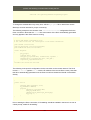
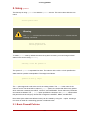
rpm --import /mnt/cdrom/RPM-GPG-KEY
To display a list of all keys installed for RPM verification, execute the following command:
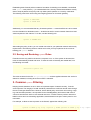
rpm -qa gpg-pubkey*
For the Red Hat key, the output includes the following:
gpg-pubkey-db42a60e-37ea5438
To display details about a specific key, use the rpm
the previous command, as in this example:
-qi
command followed by the output from
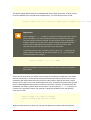
rpm -qi gpg-pubkey-db42a60e-37ea5438
It is extremely important to verify the signature of the RPM files before installing them to ensure
that they have not been altered from the Red Hat, Inc. release of the packages. To verify all the
downloaded packages at once, issue the following command:
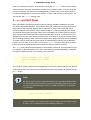
rpm -K /tmp/updates/*.rpm
For each package, if the GPG key verifies successfully, the command returns gpg OK. If it
doesn't, make sure you are using the correct Red Hat public key, as well as verifying the source
of the content. Packages that do not pass GPG verfications should not be installed, as they may
17