1
4.3.5.4.
Zone 4
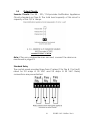
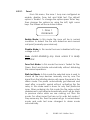
From this menu, the zone 4 loop can configured as
enable, disable, Zone test and Walk test. The default
option is ‘Enable’. To change the options press ‘Enter’ key,
then change the options by using the left/ right cursor
keys. The Screen will be as shown below.
4. Zone 4
<Enabled>
4.3.5.5.
Auto Key Lock
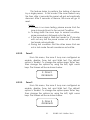
From this menu, the Auto key lock can enabled or
disabled. By pressing the ‘Enter’ key from this menu the
option can be changed by using the Left / Right keys. The
default factory setting option is ‘disabled’. If the key lock is
enabled, the Auto lock time is enabled automatically and
after the set time delay key pad will be locked.
4.3.5.6.
Auto Lock Time
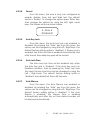
The Auto key lock time will be enabled only when
the Auto Key lock is ‘Enabled’. If the Auto Key Lock is in
Enabled condition, then by pressing the ‘Enter’ key from
this menu the key lock time can be changed by using the
Left / Right keys. The default factory setting option is
‘disabled’ and default set time is 60 Seconds.
4.3.5.7.
Auto Silence
From this menu, the Auto Silence can enabled or
disabled. By pressing the ‘Enter’ key from this menu the
option can be changed by using the Left / Right keys. The
default factory setting option is ‘disabled’. If the Auto
Silence is enabled, the Silence time is enabled
automatically and after the set time delay Sounders will
be silenced automatically.
23
P/N RE - 102 / 104 Rev. No. 0