1
Mobile Computer MC 95xxex-NI
Type B7-A29.-…………
Contents
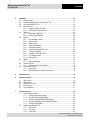
4.
Operation ............................................................................................................................ 19
4.1 Getting started .......................................................................................................... 19
4.2 Recommended position for the MC 95xxex-NI........................................................... 19
4.3 Parts of the MC 95xxex-NI ......................................................................................... 20
4.4 Micro SD Card .......................................................................................................... 20
4.4.1 Installing a Micro SD Card .......................................................................... 21
4.4.2 Removing the micro SD card ...................................................................... 22
4.5 SIM Card................................................................................................................... 23
4.5.1 Inserting the SIM card................................................................................. 23
4.5.2 Removing the SIM card .............................................................................. 25
4.6 Battery ...................................................................................................................... 25
4.6.1 How the Battery works ................................................................................ 26
4.6.2 Battery Health ............................................................................................. 26
4.6.3 Battery Status ............................................................................................. 27
4.6.4 Installing the Battery ................................................................................... 27
4.6.5 Replacing a battery ..................................................................................... 27
4.6.6 Powering On the MC 95xxex-NI................................................................... 29
4.6.7 Charging the battery ................................................................................... 29
4.6.8 Installed in an MC 95xxex-NI ....................................................................... 31
4.6.9 In a charging station ................................................................................... 33
4.6.10 Stand-alone ................................................................................................ 34
4.7 Keypad ..................................................................................................................... 35
4.7.1 Replacing Keypad....................................................................................... 35
4.8 Screen Protector ....................................................................................................... 37
4.8.1 Removing the Screen Protector.................................................................. 37
4.9 Connection to the PC................................................................................................ 38
4.9.1 Active Sync ................................................................................................. 38
4.9.2 DEVICE Center or mobile device center..................................................... 38
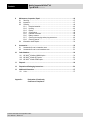
5.
Commissioning .................................................................................................................. 39
6.
Software Versions.............................................................................................................. 40
6.1 AKU Version ............................................................................................................. 40
6.2 OEM Version ............................................................................................................ 40
6.3 BTExplorer Version................................................................................................... 41
6.4 Fusion Version .......................................................................................................... 41
6.5 Phone Software ........................................................................................................ 41
7.
Trouble shooting................................................................................................................ 42
7.1 Energy Saving Options ............................................................................................. 42
7.1.1 Changing the Power Settings ..................................................................... 42
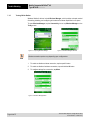
7.1.2 Changing the Backlight Settings ................................................................. 43
7.1.3 Changing the Keypad Backlight Settings .................................................... 43
7.1.4 Changing the settings for the display backlight........................................... 43
7.1.5 Turning Off the Radios................................................................................ 44
7.2 Resetting the MC 95xxex-NI ...................................................................................... 45
7.2.1 Warm boot .................................................................................................. 45
7.2.2 Cold boot .................................................................................................... 45
7.2.3 Clean Boot .................................................................................................. 45
Technical data subject to change without notice.
Issue: Revision 1 / March 2011