1
Enter document Title using Variable
Install Controller Modules ............................................................................................ 48
Install Controller Stratum 3 Clock Module .................................................................... 51
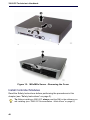
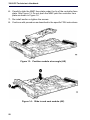
Install Controller Hardware .......................................................................................... 51
Rack Mount the Controller ........................................................................................... 51
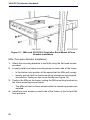
Wall Mount the CX/CXi and CX II/CXi II Controller ...................................................... 56
Install Service Units and Cabinets ............................................................................... 58
Installing SX-200 Bays ................................................................................................. 62
Install Telephones ........................................................................................................ 64
Install and Configure Music on Hold ............................................................................ 65
Program 5485 IP Paging Unit ...................................................................................... 66
Register IP Devices from the Telephone ..................................................................... 67
Program System ................................................................................................................. 70
Programming Tools ...................................................................................................... 70
Log into the Programming Tools .................................................................................. 71
Configure NSU via IMAT .............................................................................................. 73
Program the Controller DHCP Server (MXe, CX/CXi, CX II/CXi II) ............................. 76
Program LS Trunk Settings via LS Measure Tool ........................................................ 78
Configure Analog Music On Hold/Paging .................................................................... 79
Chapter 4 : Software Installation
About Installing and Upgrading Software ........................................................................... 83
Install System Software Manually ...................................................................................... 85
The MCD Software Installer Tool ....................................................................................... 91
Install the MCD Software Installer Tool ........................................................................ 91
Install System Software using the Software Installer ................................................... 91
Upgrade System Software ................................................................................................. 94
Online Upgrade ............................................................................................................ 94
Offline Upgrade ............................................................................................................ 98
System Software Installation Details ................................................................................ 101
Software Upgrade/Install Options .............................................................................. 101
Upgrading System Software - Notes, Tips, and Cautions .......................................... 102
Change Number of IP User Licenses ........................................................................ 103
Cluster or Dimension Changes .................................................................................. 103
Installing MSL Software on APC (CX/CXi) or APC-CX(i) II (CX II/CXi II) ......................... 105
Installing MSL Software on an MXe Server ...................................................................... 106
Installing System Software on the FTP Server ................................................................. 106
Upgrade to MCD 5.0 and Group Licensing ...................................................................... 107
Upgrade the 3300 ICP Software on the MXe Server ....................................................... 108
Upgrading/Installing with Maximum Elements Change .................................................... 108
Upgrade to Rel 6.0 or later with Flexed Dimensions ........................................................ 110
Apply a Software Patch .................................................................................................... 111
Distributing New Firmware to IP Phones .......................................................................... 112
Load IP Phone Software Remotely .................................................................................. 112
Downgrading to a Previous Software Release ................................................................. 113
iv