1
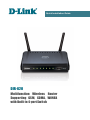
DIR-620
Quick Installation Guide
Administrator Password
It is highly recommended to change the administrator password used to access the
web-based interface of the router upon initial configuration. This helps you to
improve your network security.
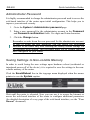
1. Go to the System > Administrator password page.
2. Enter a new password for the administrator account in the Password
and Password confirmation fields. Use digits and Latin characters.
3. Click the Change button.
!
Remember or write down the new password for the administrator account.
In case of losing the new password, you can access the web-based
interface of the router only after restoring the factory default settings via
the hardware Reset button. This procedure wipes out all settings that you
have configured for your router.
Saving Settings to Non-volatile Memory
In order to avoid losing the new settings upon hardware reboot (accidental or
intentional power-off of the device), it is required to save the settings to the nonvolatile memory of the router.
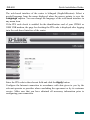
Click the Save&Reboot line in the top-page menu displayed when the mouse
pointer is over the System caption.
Wait until the router is rebooted. Now you can use it to access the Internet or
access the web-based interface of the router to configure additional parameters
(for detailed description of every page of the web-based interface, see the “User
Manual” document).
15