1
3.
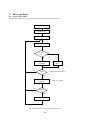
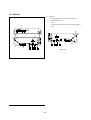
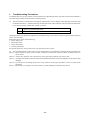
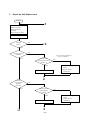
Repair by Unit Replacement
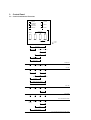
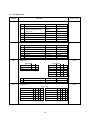
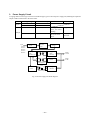
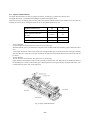
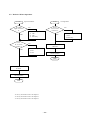
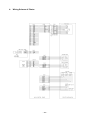
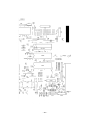
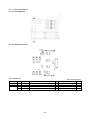
START
A
* Turn power off.
* Remove I/F cable.
* Mount ink ribbon.
* Set paper.
* Move carriage to center.
Turn power on.
Carriage
Moves?
NO
B
YES
Carriage operates
normally?
NO
*1 See (6) and waveform in
item 7 of Chapter 7.
YES
Carriage motor
operating waveform is
normal? *1
NO
YES
1) Replace main logic
board.
2) Replace printer
mechanism.
Replace printer mechanism.
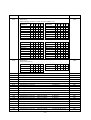
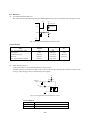
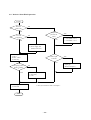
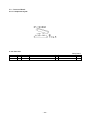
A
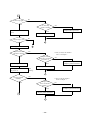
Carriage
stops at home
position?
(left side)
YES
NO
Home position
switch signal is
normal?
YES
Replace main logic board.
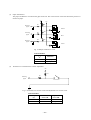
1
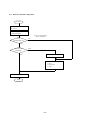
A
– 57 –
NO
1) Replace main logic
board.
2) Replace printer
mechanism.