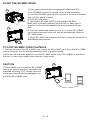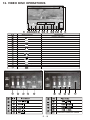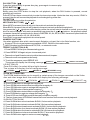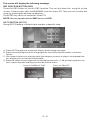
1
1. HANDLING COMPACT DISCS
MOISTURE CONDENSATION
On a rainy day or in a very damp area, moisture may condense on the lenses inside the unit. Should
this occur, the unit will not operate properly. In such a case, remove the disc and wait for about an
hour until the moisture has evaporated.
NOTES ON CDs
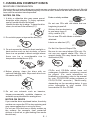
1. A dirty or defective disc may cause sound
dropouts while playing. To enjoy optimum
sound, handle the disc as follows.
Handle the disc by its edge. To keep the disc
clean, do not touch the surface (P.1).
P. 1
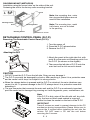
2. Do not stick paper or tape on the disc (P.2).
Paste or sticky residue.
****
*******
*******
******* *******
P. 5
Do not use CDs with old labels that are
beginning to peel off.
Stickers that are beginning
to peel away leave a
sticky residue (P.6).
P. 6
Do not use CDs with labels or stickers
attached.
Labels are attached (P.7).
P. 2
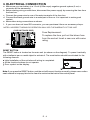
3. Do not expose the discs to direct sunlight or
heat sources such as hot air-ducts, or leave
them in a car parked in direct sunlight where
there can be a considerable rise in
temperature inside the car (P.3).
P. 3
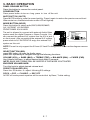
4. Before playing, clean the discs with an
optional cleaning cloth. Wipe each disc from
the centre out (P.4).
P. 4
5. Do not use solvents such as benzine,
thinner,commercially available cleaners, or
antistatic spray intended for analog discs.
NOTES ON DISCS
If you use the discs explained below, the sticky
residue can cause the CD to stop spinning and
may cause malfunction or ruin your discs.
Do not use CDs that have a sticky residue on
the surface (for example, from peeled-off
stickers or from ink, or glue leaking from under
the stickers).
E-1
**************
*******
*******
*******
*******
P. 7
*******
*******
*******
*******
Do Not Use Special Shape CDs
Be sure to use round shape CDs only. Do
not use any special shape CDs. Use of
special shape CDs may cause the unit to
malfunction.(P.8).
P. 8
CD-Rs and CD-RWs which have not
undergone finalization processing cannot
be played. (For more information on
finalization processing, refer to the manual
for your CD-R/CD-RW writing software or
CD-R/CD-RW recorder.) Additionally,
depending on the recording status, it may
prove impossible to play certain CDs
recorded on CD-R or CD-RW.