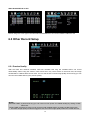
1
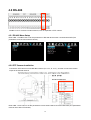
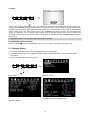
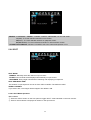
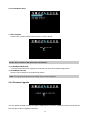
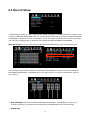
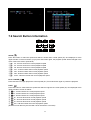
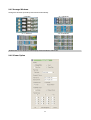
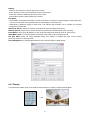
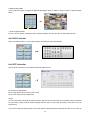
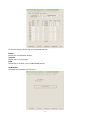
-“
(Green) ” : Schedule Recording mode
-“
(Red) ” : Event Recording mode (Motion detection/ Video loss/ Sensor)
-“
(White) ” : Not Recording!
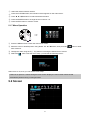
These three recording mode all needs a corresponding RECORD SETTINGs such as IMAGE SIZE,
RECORD FRAME… DVR will follow the menu setup to do the recording.
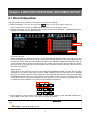
6.2 Quick Setup
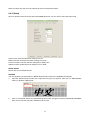
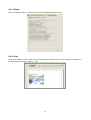
This menu is simply used when user want to change just a few important settings.
!
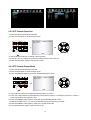
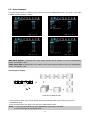
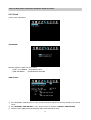
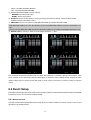
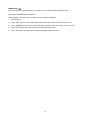
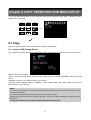
QUICK SETUP
If QUICK SETUP setting is “ON”, DVR will record data according to the QUICK SETUP settings.
If QUICK SETUP setting is “OFF”, DVR will record data according to the Record Setup settings.
!
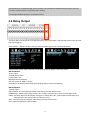
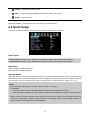
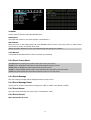
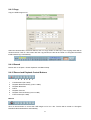
IMAGE SIZE:
NTSC: 720x480/ 720x240/ 360x240
PAL: 720x576/ 720x288/ 360x288
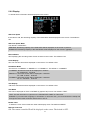
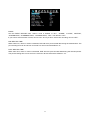
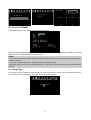
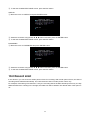
RECORD FRAME
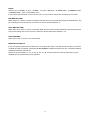
Select the desired frame rate for normal recording. If you enable the QUICK SETUP, all the manual recording,
schedule recording and event recording will use the average record frame to record. For example, if the total
record frame is 120, the average record frame for each camera in a 16CH DVR is 7.5 (120 / 16 = 7.5).
NOTE:
- Recording frame rate will be: Total frame rate of resolution / Channels
For example:
! 16CH DVR have a total of 240/200(NTSC/PAL) frame rates with 360x240 resolution.
" When you select 360x240 in the quick setup, you will have 240/16channel=15IPS per channel.(NTSC)
- Bigger resolution will have a better picture quality but the file size is bigger and the available frame rate
will reduce accordingly. (720x480 is approximately 2 times bigger file size than 720x240, 720x240 is
approximately 2 times bigger file size than 360x240)
32