1
4.4.3
Edit the /etc/hosts File After Running netsetup
In Tru64 UNIX Version 4.0F, once you configure your interfaces using
netsetup, view the /etc/hosts file and make sure that the hostname
and the IP address of your system has been added to this file. If not, then you
need to add this information in the /etc/hosts file. Edit the
/etc/hosts file as a root, and add the following line:
<system’s ip address> <system’s hostname> <any aliases for the system>
Example:
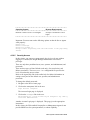
16.60.266.6
example.domain.com
example
example-alias2
where:
16.60.266.6 = IP address of your system.
example.domain.com = fully qualified hostname of your system.
example, example-alias2 = aliases for your system.
Refer to the hosts(4) reference page for further information regarding the
/etc/hosts file.
4.4.4
CDE’s Static Dependency on the Network
The Common Desktop Environment (CDE) provides facilities and features
for applications to communicate in a networked environment. After the
network is configured and enabled, these features become available each time
a new desktop session is started. After a desktop session has started, the
current session has a static dependency on the state of the network
configuration. Network and system administrators should be very cautious
about dynamic changes to the network configuration while in a networkaware desktop session.
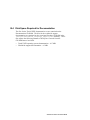
Prior to making any dynamic network changes, such as changing the state of
your network adapter to off or changing your primary network address, add
the following entry to the /.dtprofile file:
export DTNONETWORK=true
The system administrator must then log out and back in as root for the
change to take effect. This change removes the dependency on the state of
the network. Failure to do this may result in a session hanging after clicking
on a CDE icon, such as the screen lock or Exit icons.
After all network changes are completed, remove the export
DTNONETWORK=true entry from the /.dtprofile file.
4–28 Base System Software Notes