1
1.2
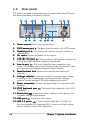
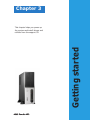
Front panel
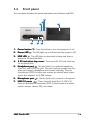
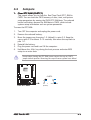
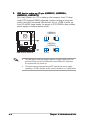
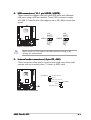
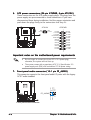
The front panel includes the system and audio control buttons and LEDs.
3
2
1
7
6
4
5
1.
Power button
2.
Power LED
3.
. This LED lights up when data is being read from or
HDD LED
written to the hard disk drive.
5 . 2 5 - i n c h d r i v e b a y c o v e r . This covers the 5.25-inch drive bay
for an optical drive.
4.
. Press this button to turn the system on or off.
. This LED lights up to indicate that the system is ON.
5.
H e a d p h o n e p o r t . This port (lime) is a combined headphone
(Line Out) and S/PDIF Out port. The port functions as audio Line Out
when you connect a headphone with a stereo mini-plug. The port
functions as S/PDIF Out when you connect an external audio output
device that supports the S/PDIF feature.
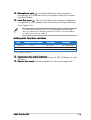
6.
Microphone port
7.
USB 2.0 ports
. These Universal Serial Bus 2.0 (USB 2.0)
ports are available for connecting USB 2.0 devices such as a mouse,
printer, scanner, camera, PDA, and others.
ASUS Pundit-AE3
. This Mic (pink) port connects a microphone.
1-3