1
V. Introduction of functions
(Ⅰ) Playing music
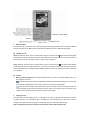
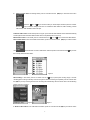
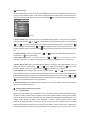
The device enters the main menu mode after switched on, the default of which is “Music”, shown in Figure 1, then
you can press the【 】key to enter the music file list (the system will indicate “no files” if there is no music files
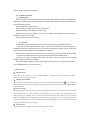
stored in the device), and press the【 】key to play music, as shown in Figure 2.
Figure 1
Figure 2
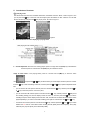
1.
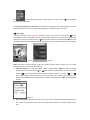
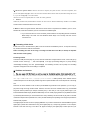
Brief introduction of screen displaying in playing status
2.
Volume adjustment: when the music is being played, press for a longer time the【VOL】key to decrease the
volume and press for a shorter time the【VOL】key to increase the volume.
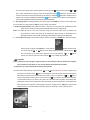
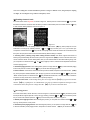
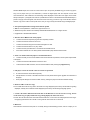
Usage of online menu: in the playing status, press for a shorter time the【M】key to enter the online
menu
, and press the【 】or【 】key to select the item you want to adjust, and then press for a shorter
time the 【 】key to enter the settings of this item, and then press the【 】or【 】key to perform adjustment of this
item.
① you can choose “roll music pieces” and then press for a shorter time the【 】key, and then press the【 】or
【 】key to enter the previous / next music piece;
② you can choose the “AB” and then press for a shorter time the 【 】 key, and then press the 【 】key to set
the rereading starting point, and the display screen will show “A-”, and then press the【 】key to set the
rereading end point, and the display screen will show “A-B”, and then the sound files within this section will be
played repeatedly, if you want to cancel A-B rereading, press again for a shorter time the【 】or【 】key;
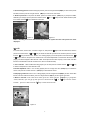
③ choose the “EQ” and then press for a shorter time the【 】 key, and then press the 【 】 or 【 】key to switch
between the six kinds of sound effect modes including Normal (NOR), Rock-and-roll (ROC), Jazz (JAZ),
Classical (CLA), Popular (POP), and Customized (USER);
4