1
VerizonA670.book Page 168 Friday, February 27, 2004 7:29 AM
S
Safe use of your phone ..134
Safety guidelines ............136
Samsung address ..........162
Samsung
phone numbers ..............162
Save pictures ...................30
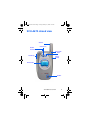
SCH-A670 closed view ......1
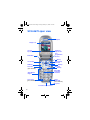
SCH-A670 open view .........2
Scheduler .......................113
jump to date .................114
view an event ...............113
Security sub menu .........101
Self timer ..........................34
Send key ..........................12
Send options ....................63
Send pix in camera mode 70
Send pix messages ..........41
Service LED
functions ........................11
Service LED settings ........97
Settings, pix messages ....82
Settings, text messages ...81
Setup menu ......................92
Shortcut sub menu .........109
Shortcut to menus ............28
Shutter sound ...................39
Silence ringer ...................22
Silent mode
entering .........................18
exiting ...........................18
Soft keys, Mobile Web .....89
Software
version, viewing ..............110
Sounds menu ...................97
Speaker ............................11
168
Special
precautions, FCC ...........139
Standby mode ..................17
Store emergency #s .......104
Store numbers after a call 53
Store pauses ....................48
Stored web content ..........88
Subscriptions, cancelling ..86
Symbol mode ...................69
T
T pause ............................48
Take a video .....................31
Take pictures ....................30
with flip open ..................30
Talk mode .........................17
Text entry modes ..............62
Text message settings .....81
Text messages, receiving .65
Three-touch dialing ...........56
Three-way calling .............22
Timer, calls .......................59
Timer, camera ..................34
Tips, efficient operation ..152
To do list .........................114
add, edit, erase tasks ....115
Travel charger ....................7
TTY/TDD ........................109
Turn your phone off ..........20
Turn your phone on ..........19
Two-touch dialing .............55