1
Allworx Server Administrator’s Guide Version 7.6
Proxy default language is Secondary and the default language of the extension
mapped in the DID Routing Plan is Use Source, the system assigns the calls
Secondary as their language.
Note:
In a DID Routing Plan, if selecting a default language other than Use Source, the DID
Routing Plan’s default language overrides the Outside Line’s language.
To set the default language for an Outside Line:
1.
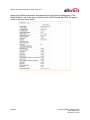
Log in to the Allworx server admin page, navigate to Phone System > Outside
Lines and select the CO, Digital, SIP Gateway, or SIP Proxy to configure.
2.
Locate the Default Language list box.
3.
Select the preferred setting from the drop-down list.
4.
Click Update to save the configuration.
28.2.2 Other Sites in a Multi-site Network
The default language for calls coming from other servers in a multi-site network cannot
be set. The system assigns these calls a default language on the remote server. For
language selection in a multi-site installation to work properly, all servers must be
running the same software version and have the Dual Language Support feature key
installed.
28.3 Call Appearances
Use Call Appearances to originate calls. Therefore, each has a default language setting.
For each phone Call Appearance, select the language that best meets the needs of the
user(s) of the phone. If a phone has multiple Call Appearances, assign the Call
Appearances different default languages.
When routing calls from the Call Appearance to applications within the Allworx System
(e.g. Auto Attendants, Queues, Conference Center), the server uses or overrides the
Call Appearance language, depending on the application’s language setting.
To set the default language for a Call Appearance:
1.
Log in to the Allworx server admin page, navigate to Phone System > Handsets,
and locate the handset to configure.
Page 194
1-866-ALLWORX * 585-421-3850
www.allworx.com
Revised: 11/22/13