1
Operation Guide 5146
lll
lll
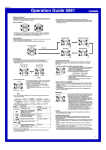
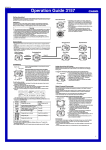
How speed is indicated
Segments
(100 unit)
OVER
Split Time
A split time reading shows the time elapsed since the
beginning of the current time measurement.
• If you want the watch to calculate the speed of the race,
specify the race distance for the distance setting.
• For split time readings, you can specify the total race
distance only. Though the watch will indicate a speed
each time you take a split reading, they will be based on
the total race distance, and so they will not indicate
actual intermediate split speeds.
lll
To specify a distance value
1. In the Stopwatch Mode, make sure the stopwatch is
stopped and reset to all zeros.
• If you need to reset the stopwatch to all zeros, press A.
2. Hold down A for about three seconds until the current
distance
value setting flashes in the lower digital display.
l
l
l
l
• This is the distance value setting mode.
3. Press C to move the flashing between the values on
the left side and right side of the distance value decimal
point.
4. While a distance value is flashing, use D (+) and B (–)
to change it.
• You can specify a distance value in the range of 0.1 to
99.9.
5. After specifying the distance value you want, press A
to exit the setting mode.
Speed hand
(Up to 100)
1000 indicator
• While an elapsed time measurement operation is being
performed in the Stopwatch Mode, the watch will
indicate a speed value, which is calculated based on the
distance you specified and the elapsed time.
The speed value is indicated as described below.
Speed hand: Up to 100
Upper display segments: 100 unit
A 1000 indicator points to 1000 (located to the right of
the upper display segments) when the speed value
exceeds 1000.
• The speed hand indicates speed values less than 100.
Only even-numbered values are indicated.
• Speed can be indicated from 0 to 1998. OVER is
indicated by the speed hand when the speed exceeds
1998.
Example:
When the speed value is 1,740.
Speed hand: Indicates 40.
Upper display segments: Indicate 700.
1000 indicator: Displayed
Time Measurement
You need to specify either lap time or split time measurement before you start a
stopwatch operation.
• If you want to measure total elapsed time, select split time measurement.
To specify lap time or split time readings
1. In the Stopwatch Mode, make sure the stopwatch is stopped and reset to all zeros.
• Make sure that LAP (lap times) or SPL (split times) is shown in the lower digital
display.
• If you need to reset the stopwatch to all zeros, press A.
2. You can toggle between LAP (lap times) and SPL (split times) by pressing A.
Split time
To set up the stopwatch to take split time readings
1. In the Stopwatch Mode, make sure the stopwatch is stopped and reset to all zeros.
• If you need to reset the stopwatch to all zeros, press A.
2. Make sure that SPL (split times) is shown in the lower digital display.
• If LAP (lap times) is displayed, press A to toggle it to SPL.
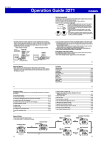
To perform a split time measurement
Select split time (SPL) measurement and then perform
Speed hand (calculated)
the following button operations.
Hours
D Start ➝ A Split ➝ A Split Release* ➝
D Stop ➝ A Reset
* The split time is released automatically if you do not
press A within about 12 seconds.
• You can press A to take split readings as many times
as you like.
• The stopwatch continues elapsed time measurement
internally while a split time reading is displayed.
• Pressing A while a split time is displayed will switch
Minutes
back to normal elapsed time measurement. The elapsed
Seconds
1/1000
time will appear in the lower digital display.
seconds
• You also could press D to stop elapsed time
measurement instead.
• Pressing D to stop elapsed time measurement displays
the time (and speed if a distance is specified) of the final
split (which is the overall elapsed time).
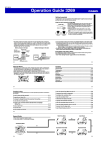
To measure times with the stopwatch
Elapsed Time
D
Start
➤ D
Stop
Lap Time
D
Start
( LAP
➤ A
Lap
(Lap01)
displayed)
Split Time
D
➤ A
Split
Start
➤ A
Reset
➤ A
Lap
(Lap02)
➤ D
Stop
➤ A
Reset
➤ A
Split release
➤ D
Stop
➤ A
Reset
( SPL displayed)
▲
▲
A
Countdown Timer
Auto-repeat off
Elapsed Time Measurement
Use the following procedure to measure elapsed time, without taking lap time or split
time readings.
Lap time
A lap time reading shows the time elapsed since the last
lap time reading was taken.
• If you want the watch to calculate the speed of each lap
(when all of the laps are the same distance), specify the
lap distance for the distance setting.
• If you want the watch to calculate the speed of the entire
race, specify the race distance for the distance setting.
A speed will be indicated each time you take a lap
reading, but these lap speeds will not indicate actual
speed of the entire race.
To set up the stopwatch to take lap time readings
1. In the Stopwatch Mode, make sure the stopwatch is stopped and reset to all zeros.
• If you need to reset the stopwatch to all zeros, press A.
2. Make sure that LAP (lap times) is shown in the lower digital display.
• If SPL (split times) is displayed, press A to toggle it to LAP.
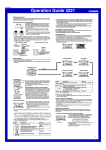
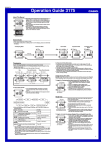
To configure countdown start time and auto-repeat settings
1. While the countdown start time is on the display in the
Auto-repeat on
Countdown Timer Mode, hold down A for about three
seconds until the hour setting of the countdown start
time starts to flash. This is the setting mode.
• If the countdown start time is not displayed, use the
procedure under “To use the countdown timer” to
l
l
l
display it.
l
2. Press C to move the flashing in the sequence shown
below, and select the setting you want to change.
lll
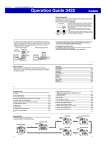
To perform a lap time measurement
Select lap time (LAP) measurement and then perform the
Lap number
following button operations.
Hours
Speed hand
D Start ➝ A Lap* ➝ A Lap* ➝
(calculated)
D Stop ➝ A Reset
* Normal elapsed time measurement reappears after
about 12 seconds.
• You can press A to take lap readings as many times as
you like.
• While a lap time is displayed, the upper digital display
will alternate between the lap number (#01 to #99) and
the lap hour value. If you take more than 99 lap
Minutes
readings, the lap number will restart from #00 following
lap #99.
1/1000
Seconds seconds • Pressing D to stop elapsed time measurement displays
the time (and speed if a distance is specified) of the final
lap.
To use the countdown timer
Press D while in the Countdown Timer Mode to start the countdown timer.
• When the end of the countdown is reached, the alarm will sound for 10 seconds or
until you stop it by pressing any button.
• The countdown time is reset to its starting value automatically after the alarm stops
if auto-repeat is turned off.
• When auto-repeat is turned on, the countdown will restart automatically without
pausing when it reaches zero.
• The countdown timer measurement operation continues even if you exit the
Countdown Timer Mode.
• Press D while a countdown operation is in progress to pause it.
Press D again to resume the countdown.
• To stop a countdown timer operation completely, first pause it (by pressing D), and
then press A. This returns the countdown time to its starting value.
lll
Lap Time
Start time
(Hours : Minutes) Seconds
lll
To perform elapsed time measurement
Select split time (SPL) measurement and then perform the following button operations.
D Start ➝ D Stop ➝ A Reset
• If you have a distance value specified for the current elapsed time measurement, the
upper display segments and speed hand will indicate the speed when you press D
to stop the elapsed time operation.
• After pressing D to stop an elapsed time operation, you could press D again to
restart from the point where you left off.
You can set the countdown start time within a range of
one minute to 24 hours. An alarm sounds when the
countdown reaches zero.
• You also can select auto-repeat, which automatically
restarts the countdown from the original value you set
whenever zero is reached.
• All of the operations in this section are performed in the
Countdown Timer Mode, which you enter by pressing
C.
Start time
(Hours : Minutes)
Start Time
(Hours)
Start Time
(Minutes)
Auto-Repeat
On/Off
3. Perform the following operations, depending on which setting currently is selected
on the display.
• While the start time setting is flashing, use D (+) and B (–) to change it.
• While the auto-repeat on/off setting is flashing on the display, press D to toggle
) and off (
).
auto-repeat on (
4. Press A to exit the setting mode.
) is displayed on the Countdown Timer Mode screen while
• The auto-repeat on (
this function is turned on.
2