1
SPECIAL
FEATURES
]
<USA>
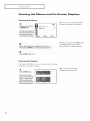
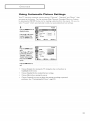
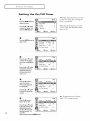
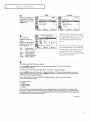
3
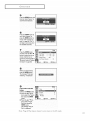
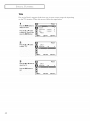
=ressthe • or • button
to select the "TV Parental
Guidelines':then DreSSme
ENTERbutton
<Canada>
a}P ,A _at_r_g
0
Move
_
Enter
_PA_
rm
Return
Rat_
_ove
-_
[_
Note:
Enter
These
two separa[e
rTf3 Return
categories
groups:
consist
of
TV-Y and TV-Y7
The' TV Parental
Guidelines"screen wdt
tyoun R children
througn age 7'. and
TV-G through TV-MA (eveJ vbodx
8Deeal:
else{.
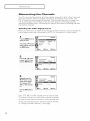
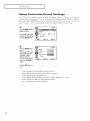
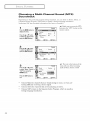
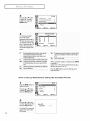
=ressthe • • buttons to
select one of the six ageDaseo
Ca[egorIes:
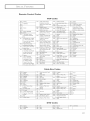
TV-Y
TV-Y7
Young ."nt_eren
Children 7 and over
B: B[ocked
Move
_
...................................
TV-G
TV-PG
TV-14
TV-MA
Generalaudience
Parent Guidance
V _wers 14andover
Mature audience
U: Unldocked
Enter
rm
Return
The restrictions
for these two groups
work indet)endentlv:
If a household
includes
very young
as young
adults,
must
children
De set up separate
grou t-
as well
the TV guidelines
btor
each age
See next step.
5
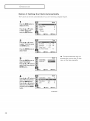
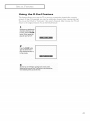
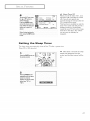
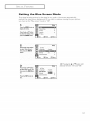
At this Do=nt.one of the TV-Batings is selectee
_ressthe ENTER button: DeDendiagon your existtag se_uo,a letter "U" or =B" Wi Deselectee.
)U= Unbiecked,B= Blocked)
White the "U" or "B" ts reD,press=ne• or • button to block or unblockthe category.
_ressthe MENU button onceto save the TV Parental GuideJines,ATV-Rating Wt_lDeselectee. _ndno letters
witJ be selected.To exit this screer 3tessthe MENU button again.To seJect a different TV-Rating,pressthe •
or • button andthen reoeatthe ]recess
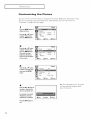
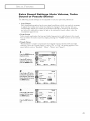
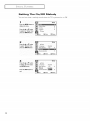
klote1:The TV-YT,TV-PG,TV-14andTV-MA have additiona_oottons. Seethe next steo to cnange
any of the folJowing sub-ratings:
FV: Fantasvviolence
D: Diatog
L: Adutt language
S Sexua{ situation
V: _ otence
klote2: The V-Chinwit[ automatica , block certain categoriesthat are "more restrictive." For example,if vou
block'TV-Y" category,then TV-Y7will automatical{, be blocked, Similarly,if you block the TV-G category,then all
me camgories m the" young adult" grou_ wilt be blecked lTV-G,TV-PG.TV-14andTV-MA The sub-ratings (D,L.
S.V) work together stmdartv._Seenext section
continued...
51