1
V1lLOR
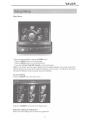
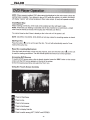
---------------------------------------------------------MULTIMEDIA--. : Press to return to DVD main menu
. : Press to select Title, Chapter, and Time.
II:
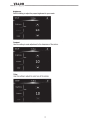
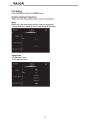
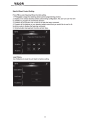
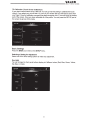
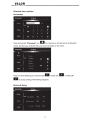
Press to enter EQ setup.
Controlling Playback
Stop Playback
Press the stop button
a
•l
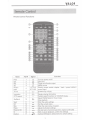
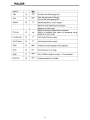
on the screen or press the (BAND) button on the remote control to stop
the DVD playback; press the play/pause button •
remote control to resume play.
on the screen or the (OK) button on the
Pause Playback
Press the play/pause button •
on the screen to pause or to resume play.
Accessing the DVD Menu
1.
2.
3.
4.
button to access the
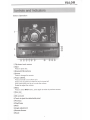
You can touch the area E (middle of screen), and then press the •
main DVD menu.
Use the arrow buttons on the remote control to select a title from the menu.
Press the TITLE button on the remote control to select a different title for playback.
Press the 0 button on the remote control or touch the item directly to confirm your selection
and begin playback.
Moving Through Chapters
Press the ~ button on the remote control to advance to the next chapter on the DVD.
Press the ...._ button on the remote control to move to the previous chapter on the DVD.
Touch the right side of the screen to advance to the next chapter, or touch the left side of the
screen to move to the previous chapter.
Fast Forward/Fast Reverse
of area E on the screen to fast
Press the ...._ button on the remote control or press the •
forward. Continue pressing to increase the rate from X 2, X 4, X 8, and X 16.
of area E on the screen to fast
Press the ..,... button on the remote control or press the •
reverse. Continue pressing to decrease the rate from X 2, X 4, X 8, and X16.
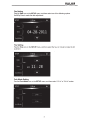
GOTO Search
During DVD or VCD playback, use the following steps for the "GOTO" feature to access a
specific location on the disc:
1. Press the -/-- button on remote control or touch Area F on the screen and then press •
icon.
2. Press the &/"" buttons on the remote control to select a category.
• For DVD mode, you can choose Time or Title/ Chapter search.
• For VCD mode, press the -/-- button to choose between Track Search, Disc Search and Exit.
Search
- -I- Title
- -I- Chapter
Time
DVD Search
Time- Go to specific time in current title
Title/Chapter - Go to specific title or chapter
27