1
Connecting System Components
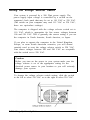
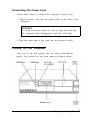
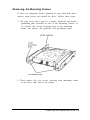
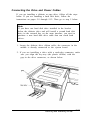
Use the illustration below to locate the ports on the back of
your system as you connect the keyboard, monitor, printer, and
other devices.
Your system also includes two removable panels above the
mouse and keyboard ports. You can remove these panels if you
want to install a game port connector to the game port interface
on the system board or if you install an optional external port.
Note
To use the game port connector on the main system board,
be sure jumper JP9 is set to enable the port (default setting),
as described in Chapter 4.
Setting Up Your System 1-3