1
3.11 Camera – DM/CAM/SD18X/A, SD26X/A MODEL
NOTE: The menu features will vary depending on the camera module installed in your dome
camera.
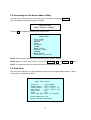
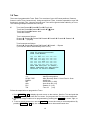
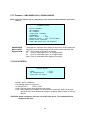
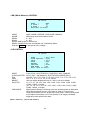
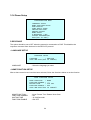
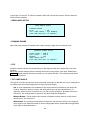
CAMERA SETUP
FOCUS CONTROL
WB CONTROL
AE CONTROL
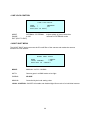
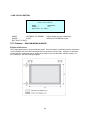
LINE LOCK CONTROL
SHARPNESS
: 9
BACK LIGHT
: OFF
DIGITAL ZOOM : OFF (2X/4X/MAX)
NIGHT SHOT CONTROL
SAVE AND EXIT(ESC TO CANCEL)
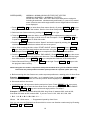
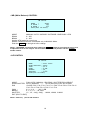
SHARPNESS
BACK LIGHT
Digital ZOOM
The higher the value,the more edges in the picture will be enhanced.
Objects in front of bright backgrounds will be clearer with BLC ON.
OFF : Zoom range is limited to the optical.
2x : Zoom is extendable up to 2x of digital range.
4x : Zoom is extendable up to 4x of digital range.
MAX: Zoom is extendable Max digital zoom range.
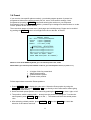
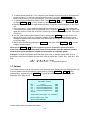
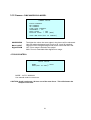
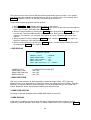
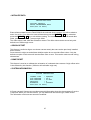
• FOCUS CONTROL
FOCUS SETUP
MODE
: AUTO
AF SENSITIVITY
: HIGH
EXIT(ESC TO EXIT)
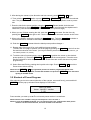
MODE: AUTO / MANUAL
Use manual mode in normal use.
AF SENSITVITY
: HIGH / LOW
HIGH: Use this option when shooting fast motion.
LOW: Offers better focus stability. In low luminance conditions, Auto Focus stops
operation even when brightness changes, enabling stable images of moving
objects.
CAUTION: Avoid continuous, 24-hour use of the auto focus. This will shorten the
lifespan of the lens.
18