1
Callout
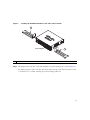
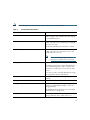
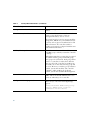
Port and LEDs
State and Description
RESET
Reset button
Pushing the Reset button reboots the system.
PWR
Power LED
The power LED light is on when all the power
conversion circuits are running normally.
LED description:
• Green—Power is on
• Off—No power to the system
SYS
System LED
The system LED determines if the system is powered up.
LED description:
• Blinking Amber—Boot-loader is active and waiting
for user input from the system console.
• Blinking Green—Boot-loader or booting.
• Green—Normal System Operation.
• Amber—System failed the bootup process or an
error caused the system to halt. A status or error
message is posted on the console screen.
• Off—System not receiving power.
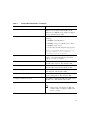
ALM
Alarm LED
The alarm LED determines a status or error occurred.
The status or error is posted on the console screen.
LED description:
• Blinking Green—Controller image upgrading.
• Amber—Controller status activity, such as
firmware upgrade.
• Blinking Amber—Controller error. For example, a
temperature error exists.
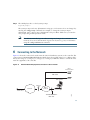
Caution
Do not connect a Power over Ethernet (PoE) cable to the console port. Doing so will
damage the controller.
7