1
Compact Wireless-G USB Network Adapter with SpeedBooster
WPA Personal
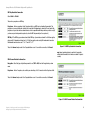
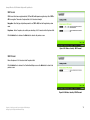
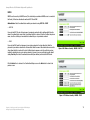
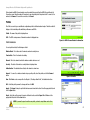
WPA Personal offers two encryption methods, TKIP and AES, with dynamic encryption keys. Select TKIP or
AES for encryption. Then enter a Passphrase that is 8-63 characters in length.
Encryption - Select the type of algorithm you want to use, TKIP or AES, from the Encryption drop-down
menu.
Passphrase - Enter a Passphrase, also called a pre-shared key, of 8-63 characters in the Passphrase field.
Click the Next button to continue or the Back button to return to the previous screen.
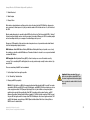
Figure 2-22: Wireless Security - WPA Personal
WPA2 Personal
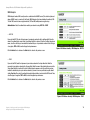
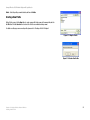
Enter a Passphrase of 8-63 characters in the Passphrase field.
Click the Next button to continue to the Confirm New Settings screen or the Back button to return to the
previous screen.
Figure 2-23: Wireless Security - WPA2 Personal
Chapter 2: Setting up and Connecting the USB Adapter
Setting Up the Adapter with Manual Setup
13