1
THE FIRST TIME
YOU OPERA TE YOUR TV
I
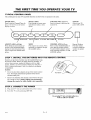
"ITPICAL
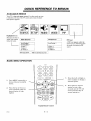
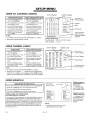
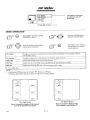
The control
CONTROL
I
I
PANEL
panel on your TV may differ from the one shown but its operation
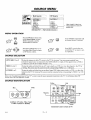
ENTER (ENT)
Press to see the Channel/Time
display, or to remove any on-screen
display or menu.
SELECT (SEL)
Press during on-screen menu
operations to select a menu
option.
is the same.
VOLUME (VOL) Up/Down
Press to increase or decrease the
sound level.
OFF-ON
Press to turn TV
power ON or OFF.
]
ENTEFJ/
</ADJUST
I_
MENU
Press once to see a menu. Press
repeatedly to sequence through
the available menus.
ADJUST (ADJ) Left/Right
Press during on-.screen menu operation to see information/status
display for selected option. Press
again to adjust the selected menu
option.
STEP
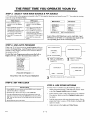
1. INSTALL
A VOLUME:'_" ,L CHANNELXX
THE BATTERIES
INTO
OFF/ON
CHANNEL (CH) Up/Down
Press to select channels higher or
lower than the current channel.
To add or delete channels; stored
in the scanning sequence, see CH.
ADD/DEL option.
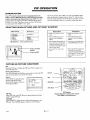
THE REMOTE
Remote Window
Poinl: the remote
control towards this
window to operate
the "I'V.
CONTROl.
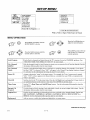
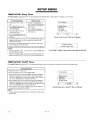
Ba_:teries are provided,
but they must be installed before using
the remote control. When it no longer functions normally, or
when it loses memory, replace the batteries with two highquality, alkaline, size AAA batteries. Match plus with plus (+
with +), minus with minus (- with -), as shown in the battery
corapartment.
NOTES:
•
Do not to place heavy objects on top of the remote control
keys. Prolonged unintentional operation of the remote
shortens battery life.
•
Remove
the batteries if the remote control
will not be used
for a month or more. Battery leakage can permanently
damage the remote, for which Zenith is not responsible.
STEP
2. CONNECT
THE POWER
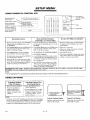
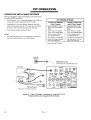
1.
Plug
your
2.
Turn
the TV on by pressing
TV into an unswitched
AC power
source.
,
OFF-ON.
Do not plug TV into switched outlet on a
VCR or cable-TV decoder
2919-0
2 -- 1